Our backup system exists so agencies can recover client sites when updates break, hosting goes down, or mistakes happen.
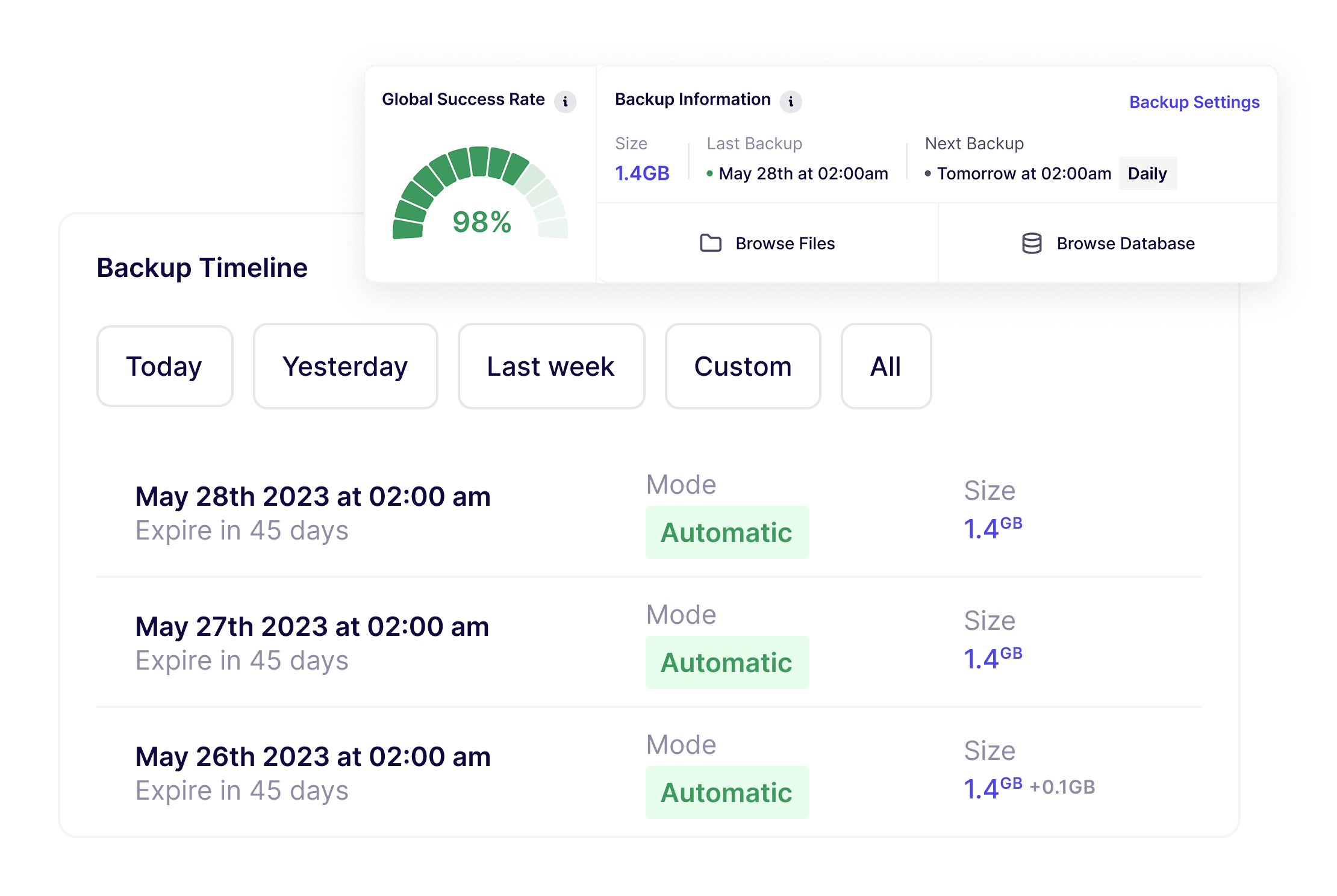
Choose the sites you want to protect and set a backup frequency. Backups then run automatically in the background.
After the initial full backup, WP Umbrella only backs up what changes across your site. This minimizes performance impact while keeping backups reliable at scale.
Backups are encrypted and stored on WP Umbrella's own servers in Europe for 50 days, in full compliance with GDPR.
You can restore a full site or specific parts (files or database) at any time, with a single click.
Backup activity is automatically included in client maintenance reports.
WP Umbrella shows backup status across all your sites, so you can verify that backups are running as expected and quickly spot sites that need attention.
Unlike traditional backup plugins, WP Umbrella verifies the integrity of backup data and doesn't leave temporary files or archives on your server or FTP. Backups run cleanly, without accumulating leftover data over time.
Backup reliability is observable. You don't have to assume things are working; you can verify it.
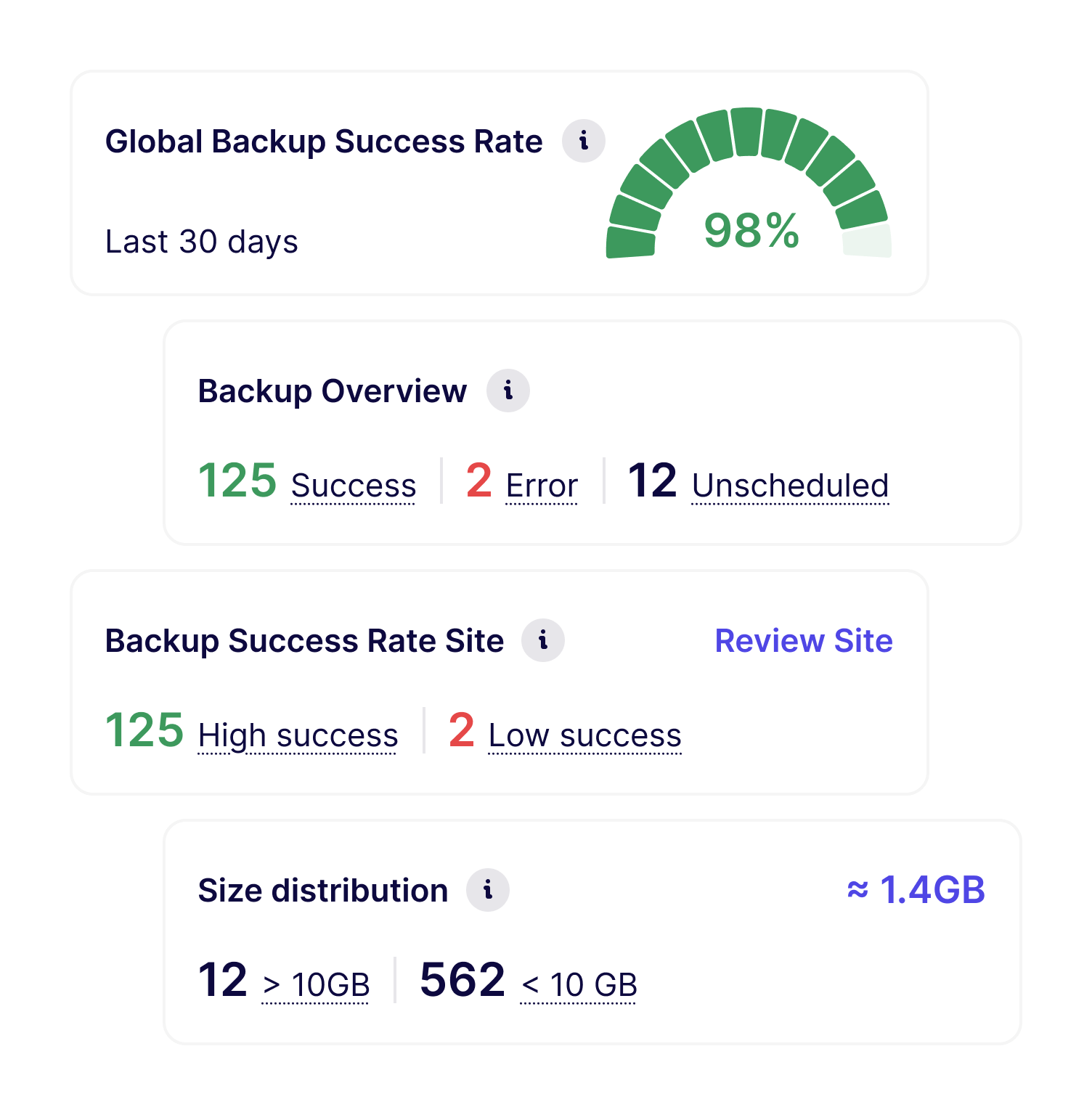
Most agencies run backups in the background across all client sites as a safety net:
As portfolios grow, backup frequency becomes a professional decision. For most content or brochure sites, daily backups are sufficient.
For higher-risk sites, especially WooCommerce stores handling orders, inventory, and customer data, agencies often choose hourly backups to reduce potential data loss.
This helps agencies prevent incidents from turning into client escalations and supports long-term trust and retention.
Backups work best when combined with:
Together, they form a complete maintenance workflow.
Join thousands of agencies and freelancers who trust WP Umbrella
I used ManageWP for years, but I felt like it just got outdated. I had issues with their support which made me lose hope and that's when I moved to WP Umbrella.
 Jeffrey · Founder @ Lytbox
I had backup issues with ManageWP, so I switched my sites to WP Umbrella. Backups are working just fine and everything is hosted in Europe.
 Deborah Ddonnier · Founder @ DDesign
After trying virtually every management tool out there, I've fully moved my agency to WP Umbrella, and I'm convinced I won't need to look further.
 Kyle · Founder @ The Admin Bar
Most agencies start by backing up a few sites and letting the system run quietly in the background.
Yes. WP Umbrella uses incremental backups for both files and the database. After the initial backup, only changes are captured. This reduces load on sites and makes backups more efficient, especially at scale.
Backups are stored on WP Umbrella–owned infrastructure in Europe. Unlike many backup plugins, backups are not stored on AWS or Google Cloud. WP Umbrella fully manages storage, so agencies don't have to configure or maintain external storage accounts.
Backups are kept for 50 days. This retention period is designed to balance recovery flexibility with predictable storage and operational simplicity.
WP Umbrella supports multiple backup frequencies: hourly (add-on), daily, weekly, monthly, and manual backups. This allows agencies to adjust backup frequency to each site's risk profile.
Yes. Even if a site is unreachable, backups can be restored using FTP, SFTP, or SSH. Recovery does not depend on the WordPress admin being accessible.
Yes. WP Umbrella is built with GDPR compliance in mind. Backups are stored on WP Umbrella's own European infrastructure, not on third-party cloud providers like AWS or Google Cloud. This gives agencies clearer control over where client data is stored and how it's handled.
No. There are no storage limits enforced through a fair-use policy. You can use the backup system according to your operational needs, without hidden limits or fees.
UpdraftPlus is a standalone plugin that stores backups on third-party services like Dropbox or Google Drive, which you need to configure and maintain yourself. BlogVault focuses on backups but doesn't cover updates, monitoring, or client reports. WP Umbrella gives you automated incremental backups stored on our own European infrastructure, combined with updates, monitoring, security, and white-label reporting in a single dashboard. One tool, one cost, one place to look.
Restoration time depends on site size, but most sites are back online in minutes. You can restore your full site, the database only, or specific files, so if only one component broke, you don't need to restore everything. Restoration works via the WordPress REST API or SFTP, including when the WordPress admin is inaccessible.
No. WP Umbrella uses incremental backups that only capture changes since the last backup. After the initial backup, the process is lightweight and runs in the background without impacting site speed or server load. This is especially important for shared hosting environments where resource limits are strict.
Backups are included in the standard per-site price of €1.99/site/month: no separate backup fee, no storage limits enforced through a fair-use policy. Hourly backups are available as a paid add-on for sites that require more frequent protection.
Trusted by 80,000+ sites (as of September 2026)
WP Umbrella is designed to grow with your care business, from your first maintenance clients to a mature, multi-site operation.