Team access exists so agencies can work together on client sites while keeping visibility across their entire portfolio. It's built for teams that need shared access and clear operational oversight.
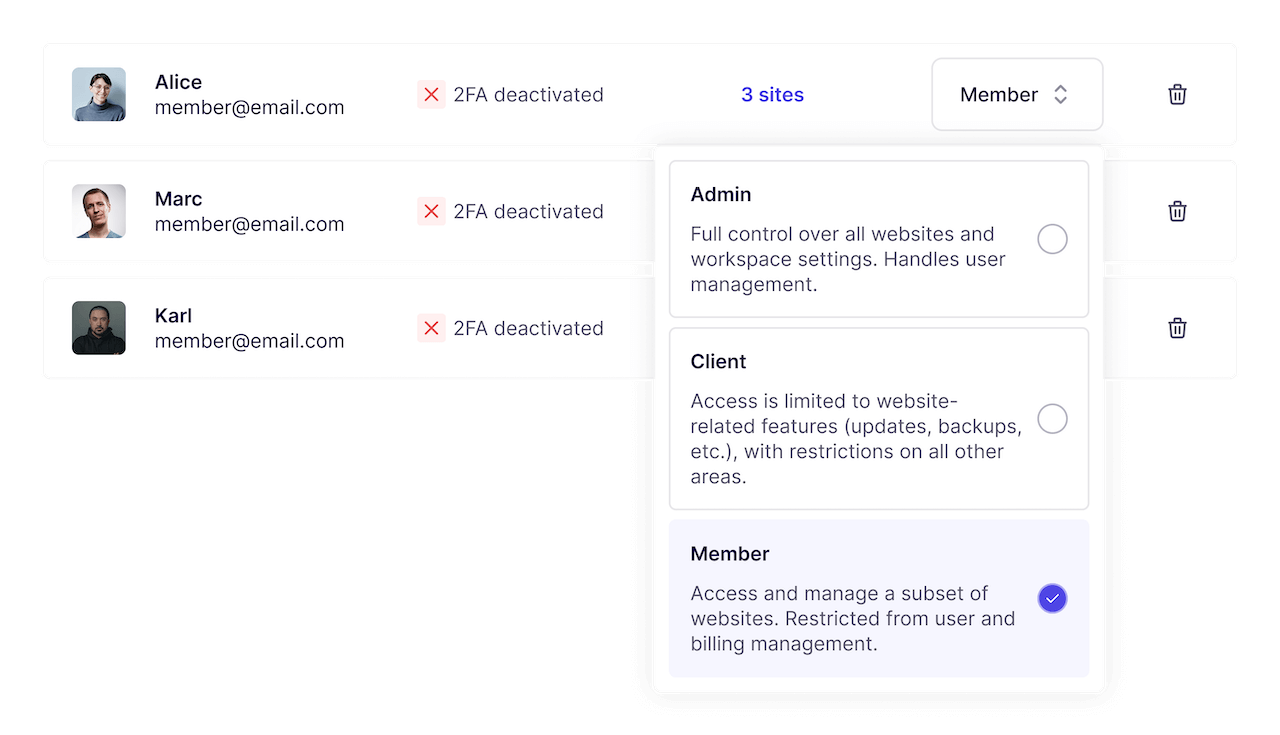
Team members can access WP Umbrella without sharing credentials, making it easier to work together safely.
Permissions control what team members can access and which actions are available, helping prevent accidental changes.
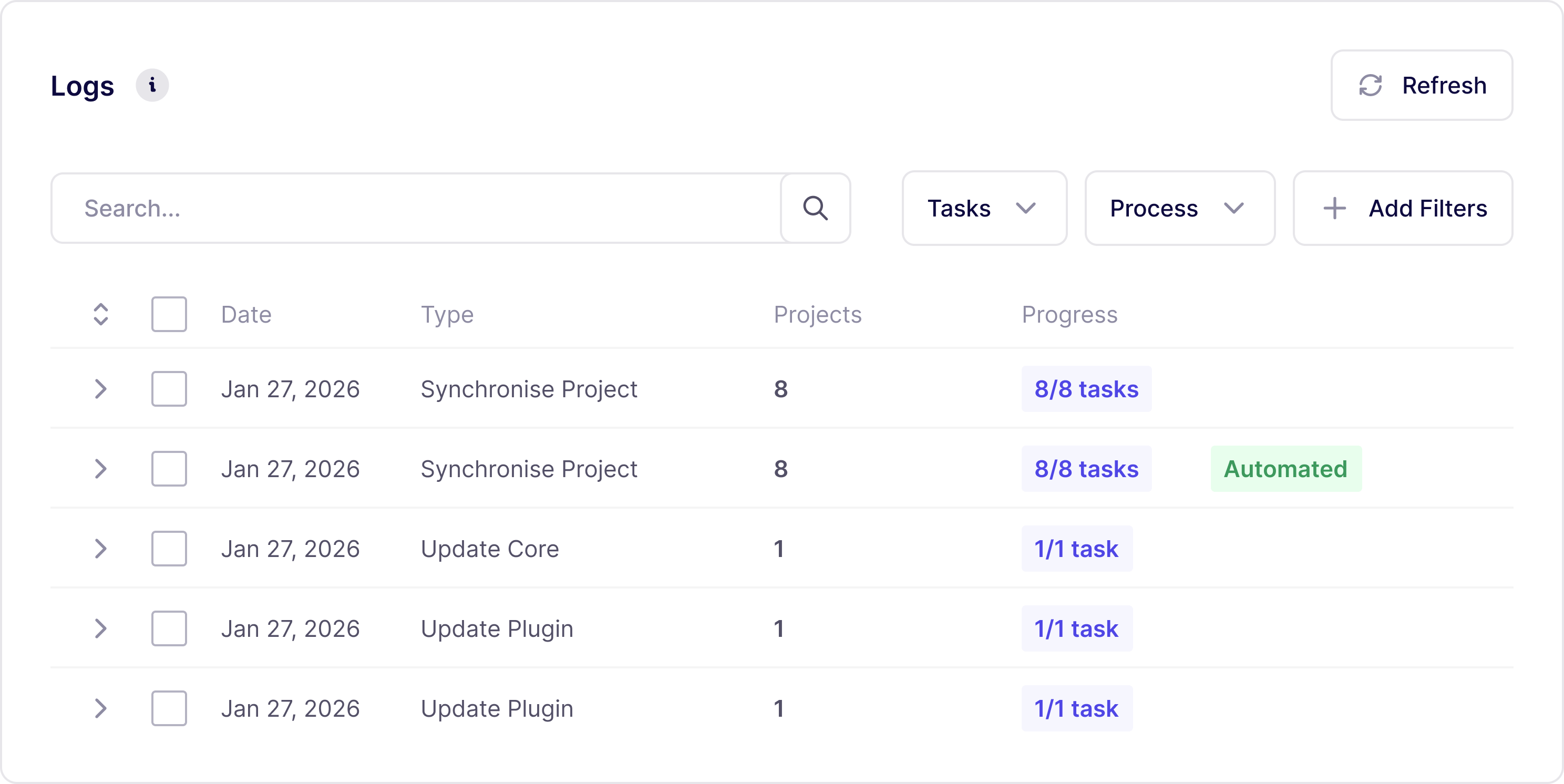
Maintenance actions and system events are tracked with timestamps and site context, giving visibility into what happened and when, across all sites.
WP Umbrella is designed to provide operational visibility, not employee monitoring.
Instead of tracking individual WordPress admin actions, the platform focuses on:
This gives agencies clarity over their operations without introducing process overhead or micromanagement. As portfolios grow, portfolio-level traceability becomes more useful than per-site investigation.
Most agencies start by giving shared access to one or two team members who help with routine maintenance.
As team grows:
This allows agencies to scale operations without relying on shared credentials or ad-hoc explanations.
Team access works best when combined with:
Together, they turn updates into a predictable maintenance process.
Join thousands of agencies and freelancers who trust WP Umbrella
I used ManageWP for years, but I felt like it just got outdated. I had issues with their support which made me lose hope and that's when I moved to WP Umbrella.
 Jeffrey · Founder @ Lytbox
When a Cloudways customer asks us what the best WordPress management tool is, we are happy to recommend WP Umbrella.
 Muhammad · Product Marketing @ Digital Ocean
After trying virtually every management tool out there, I've fully moved my agency to WP Umbrella, and I'm convinced I won't need to look further.
 Kyle · Founder @ The Admin Bar
Most agencies start without sharing access, and as soon as the confidence in the tool has grown, they invite the whole team
Yes. Team members can access WP Umbrella using their own accounts, without sharing login details.
Yes. Permissions allow you to control access and available actions for each team member.
Yes. Maintenance actions and system events are tracked with timestamps and site context, providing portfolio-level visibility.
No. WP Umbrella tracks maintenance and system-level activity, not individual actions performed inside the WordPress admin.
Yes. Shared access and portfolio visibility are useful as soon as more than one person is involved, and become increasingly important as site count grows.
Trusted by 80,000+ sites (as of September 2026)
WP Umbrella is designed to grow with your care business, from your first maintenance clients to a mature, multi-site operation.