The kind of protection you'd expect from a full security stack, built right into WP Umbrella.
Protect your sitesNo credit card required · 2€ / site / month
5,000+ agencies use WP Umbrella to run and scale their care plans





Protect, detect, understand, and recover across every WordPress site you manage, without adding another plugin to slow your sites down.
Security, backups, updates and monitoring work together in one place, for all your sites.
Security that doesn't slow your sites down. No extra plugin. No extra load.
Don't just detect malware. Stop potential attacks before they cause damage.
Already included with your WP Umbrella subscription, on every site, at no extra cost.
Every plugin and theme on your sites is checked against known vulnerabilities every 6 hours. You get alerted the moment a risk shows up, before it becomes a real problem.
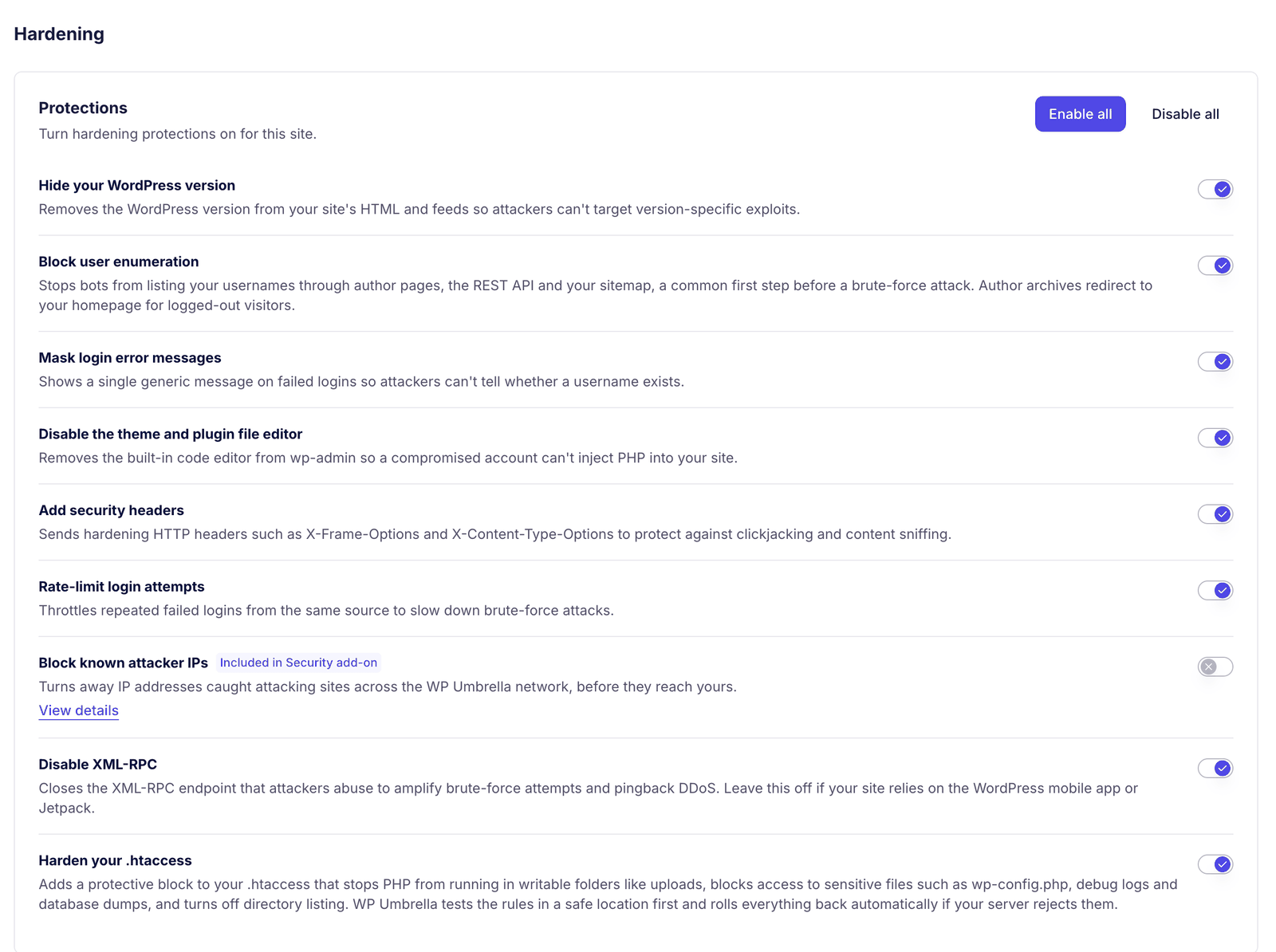
A set of baseline WordPress hardening rules is available for every site, and it's your choice which ones to enable. One toggle turns on a single rule, or all of them at once.
WordPress Site Health results are surfaced directly in your security dashboard. You see what needs attention across every site, in one place.
Automatically install security updates as soon as they're available, without waiting for your regular update schedule.
If a site is compromised, restore a clean backup in one click and get back online safely, as quickly as possible.
Attacks turned away before they land, threats flagged as they happen, files checked every day, and a blocklist that grows with every site on the platform.
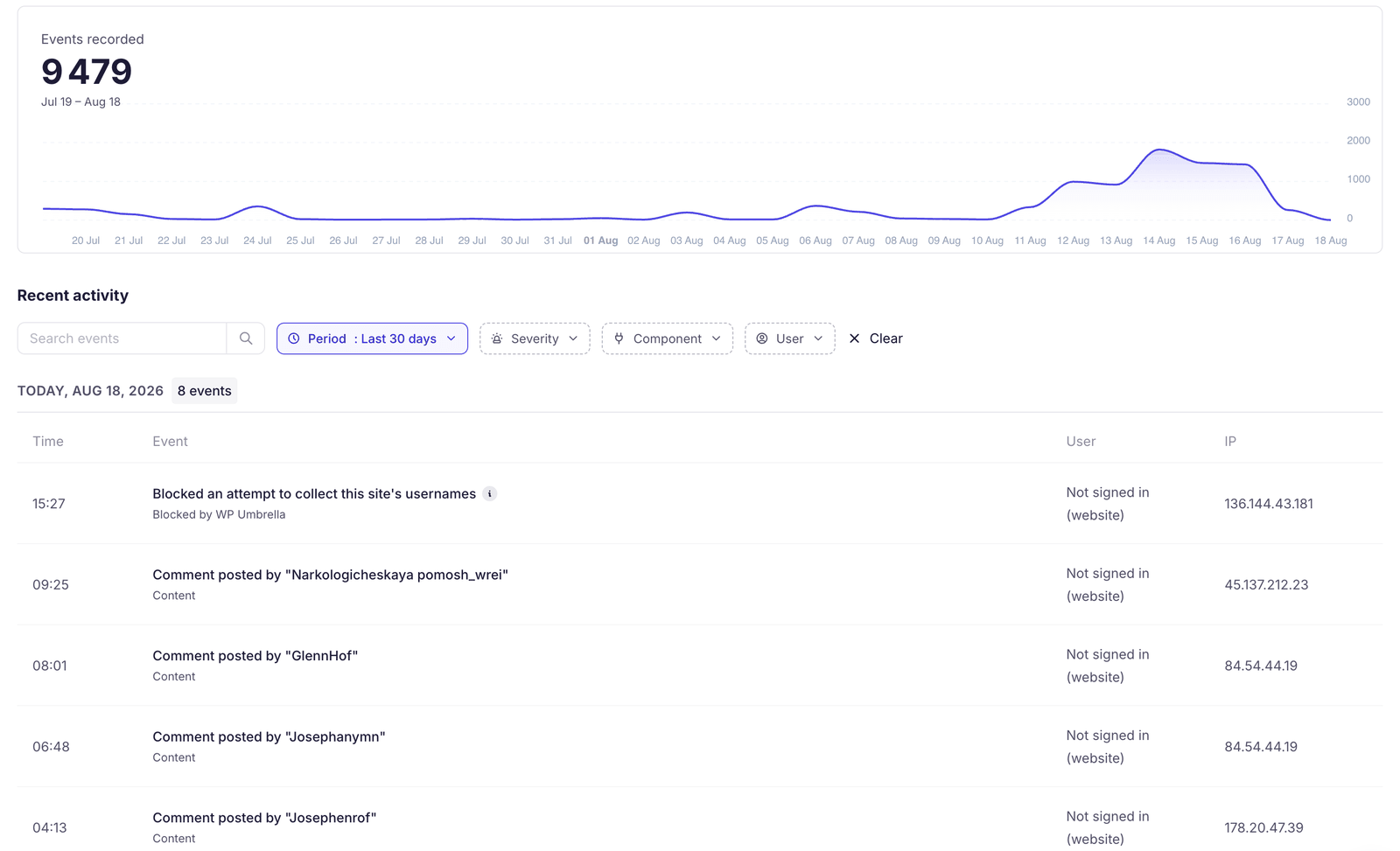
The hole is closed before the fix exists.
When a vulnerability goes public but its patch has not shipped, the Patchstack powered firewall closes it at the edge. Exploit attempts are turned away without a single line of your plugin or theme code being touched.
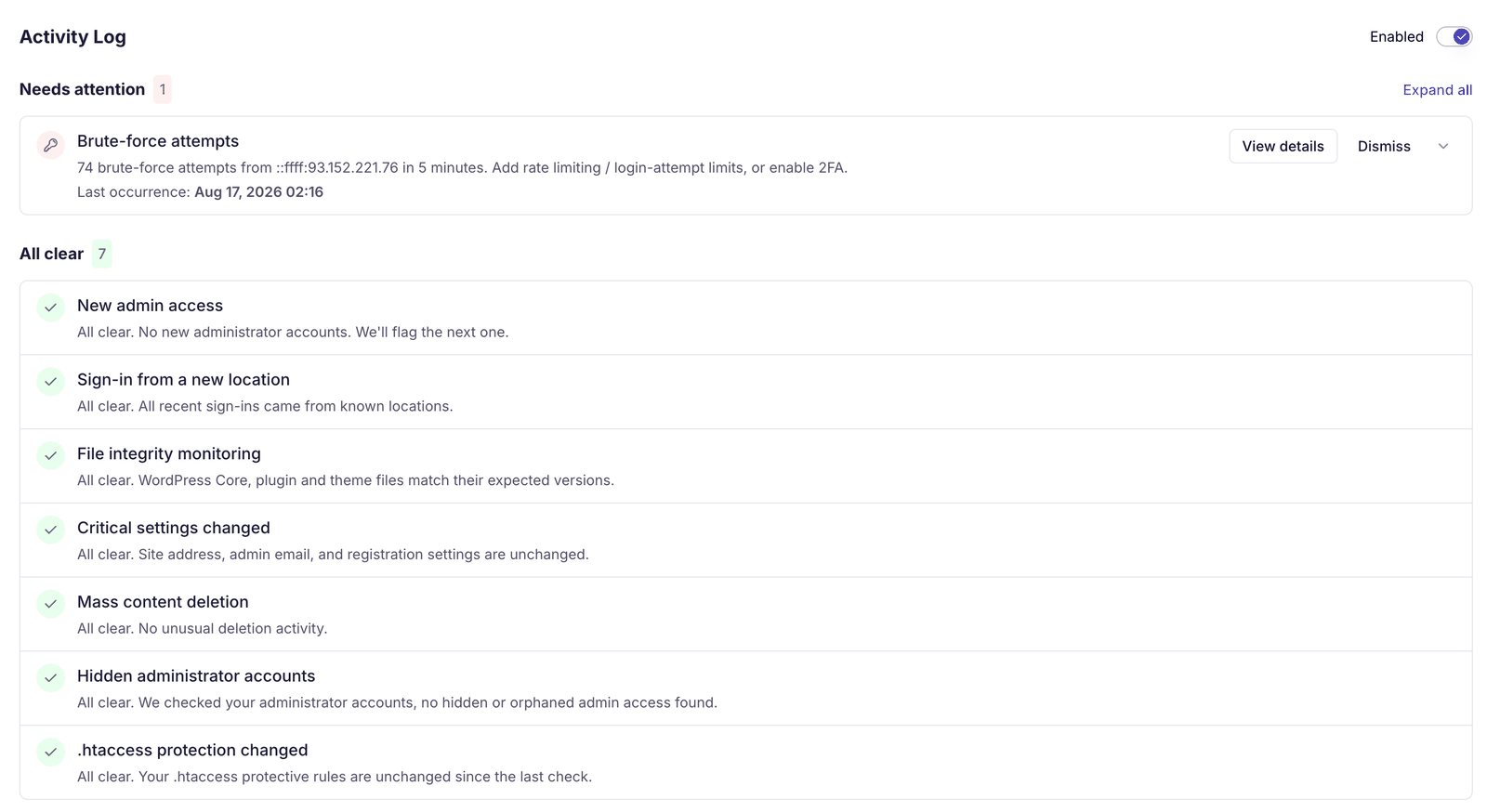
One verdict per site, not a wall of logs.
Eight checks run continuously on every site and resolve to a single status you can read at a glance. When one of them needs you, the alert already says what happened, where, and what to do about it.
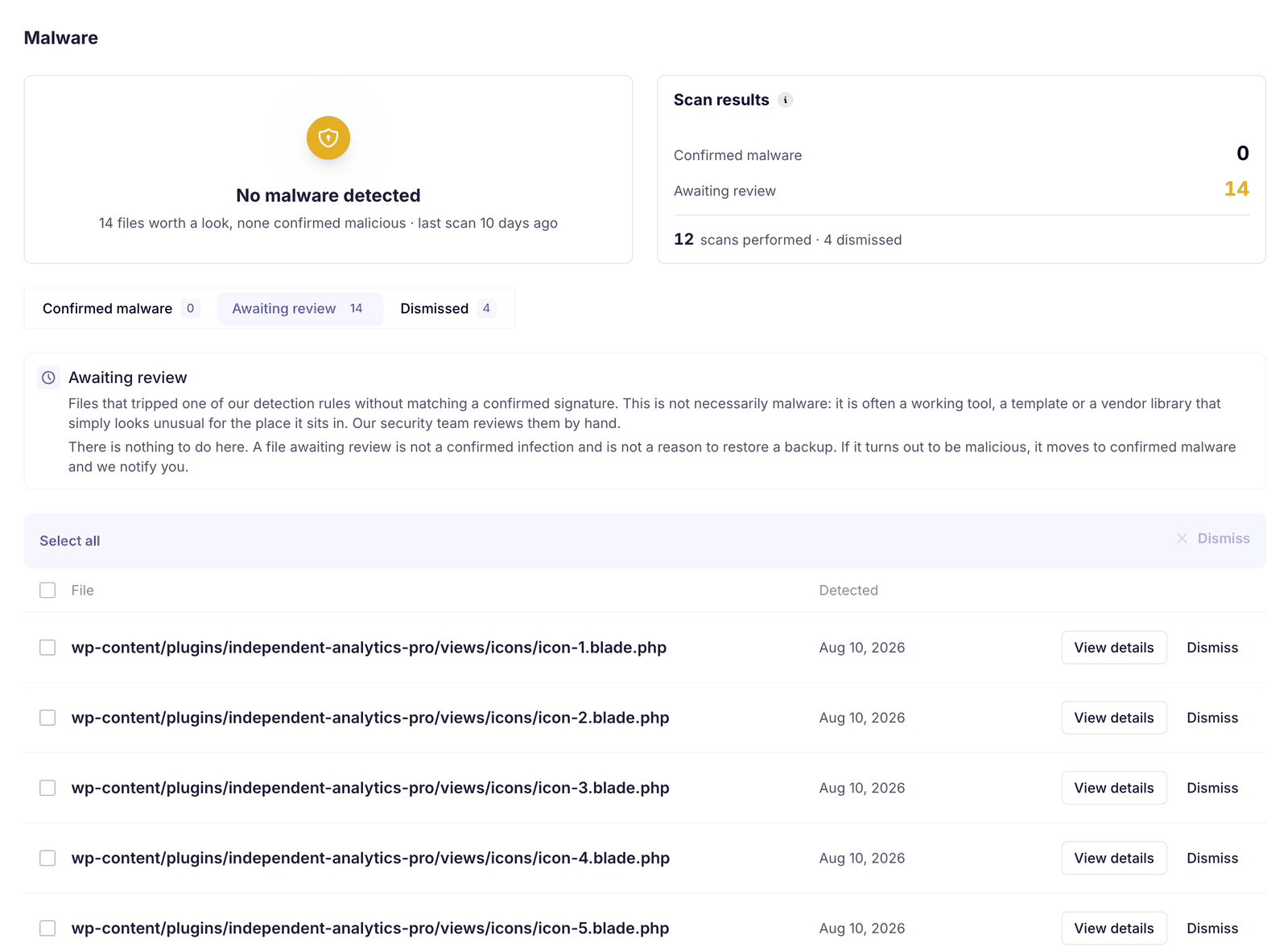
Anything that slipped through gets a name.
A daily pass over your files puts a name on whatever prevention missed. The work happens on our infrastructure, so a site being scanned stays exactly as fast as it was.
Someone else gets attacked, you get protected.
Every login attack on the platform feeds one shared blocklist. An address caught on another agency's site is already turned away from yours, which is the one advantage a tool watching a single site can never have.
Security tools that only watch your own sites can only react to what already reached you. WP Umbrella watches login attacks across the whole platform, so a threat seen anywhere becomes a rule everywhere.
Included in the Security Add-on. Nothing to configure.
2€ / site / month
What you'd normally pay hundreds per year for in dedicated security tools, built into WP Umbrella for a fraction of the cost.
No monthly retainer for a service you may never use. Bring in an expert the day a site actually needs one.
30€ one-time, per site
A full review of the files, the database, the configuration and the access history, turned into a report you can read in one sitting and hand to a client.
180€ one-time intervention
If you would rather not work through the list yourself, we carry out the remediation and hand you a before and after report.
What we need: SFTP or FTP access. Everything else is handled as part of the cleanup.
On the cleanup we commit to an obligation of means: every step is applied, but no one can guarantee against reinfection until the way in is closed.
WP Umbrella Security Add-on gives you the full WordPress security stack, without the stack.
Nothing to configure. Nothing to maintain. Flip one toggle, and every protection from the Security Add-on is live.
One toggle in your dashboard turns it on for a site. No setup screens, nothing to configure.
Start free and get security, backups, updates, monitoring and reporting from day one.
Join thousands of agencies and freelancers who trust WP Umbrella
I used ManageWP for years, but I felt like it just got outdated. I had issues with their support which made me lose hope and that's when I moved to WP Umbrella.
 Jeffrey Dalrymple · Founder @ Lytbox
When a Cloudways customer asks us what the best WordPress management tool is, we are happy to recommend WP Umbrella.
 Muhammad Saad Khan · Product Marketing @ Digital Ocean
After trying virtually every management tool out there, I've fully moved my agency to WP Umbrella, and I'm convinced I won't need to look further.
 Kyle Van Deusen · Founder @ The Admin Bar
No. Malware scanning and firewall checks run off your server, not on it, so there is no added load on page performance.
You can, but it is redundant. The add-on already covers firewall, malware scanning, activity logging, and vulnerability protection.
You get an alert immediately, and virtual patching can block known exploits before an official fix is released.
WP Umbrella detects known vulnerabilities affecting WordPress core, plugins, and themes, using trusted vulnerability data sources like Patchstack.
Virtual patching blocks exploit attempts targeting a known vulnerability at the firewall level, before the fixing update is applied or even released, without modifying plugin or theme code. It buys agencies time to plan and test a proper update without leaving sites exposed. The durable fix is still the update.
Every plan includes vulnerability monitoring (checked against the Patchstack database every 6 hours, with one-click fixing updates), Site Health checks with dismissible warnings, the security hardening toggles, the platform Activity Log, and uptime, PHP error, and performance monitoring. The Security add-on adds the active protection layer: the firewall with virtual patching, the network-learned IP blocklist, the Security-Driven Activity Log, and daily malware scanning.
The daily scanner lists every flagged file in the Malware section. Files you have verified yourself can be dismissed. If the scanner flags a real infection, malware cleanup is available on demand: contact support and the team handles the removal with you. Your backups remain the recovery path for the worst cases.
Yes. Security status and vulnerabilities are visible across your entire portfolio, allowing agencies to prioritize and act consistently at scale.
Trusted by 100,000+ sites
Join the agencies who dropped their security plugin stack and run everything from WP Umbrella.