How a WordPress development & support agency turned maintenance into its strongest retention tool
How Work Hero keeps 60+ agencies renewing with no contracts: proactive security, 24/7 site monitoring, fast recovery and client reports that make maintenance work visible and valued.

Work Hero is a premium WordPress support and development subscription for digital agencies. They maintain WordPress sites for 60+ agencies across the US, UK, Canada, and Australia. In this case study, we’ll look at the system they use to keep clients around longer, and how WP Umbrella helps them do it.
Company Card

- Company: Work Hero – a premium WordPress support & development subscription for digital agencies – “grow your agency without growing your team”.
- Location: US (Austin, TX)
- Scale: hundreds of websites under support for 60+ digital agencies across the US, UK, Canada & Australia
- Founders: Kevin Koskella & Paulo Marques
- Experience: 9+ years working in WordPress
- Team: 30 people
- With WP Umbrella: 6 months
- Switched from: ManageWP
The WordPress agency behind 60+ other agencies
Founder Kevin Koskella describes the business in one clean sentence: “Work Hero is a white-label technical partner for digital agencies – your team of senior developers handles their WordPress builds, edits and maintenance on a flat monthly subscription, no contracts.”
Agencies hand off the WordPress work they don’t want to hire an in-house team for, and Work Hero runs it behind the scenes. Today that’s hundreds of websites under ongoing support for more than 60 agencies across the US, UK, Canada, and Australia.
Their services are sold on a flat monthly subscription with no contracts. So, nothing locks their clients in.
As nice as this sounds, when your customers can take the work in-house or switch providers the moment they feel underwhelmed – client retention becomes something you have to win back every single month.
Retaining WordPress maintenance clients
As an ongoing service, maintenance has a cruel paradox at its center: when you do it perfectly, nothing happens. No outage, no hack, no broken checkout.
The client experiences… just another normal month.
And they don’t always enthusiastically renew a subscription when “nothing happened.”
If all a client sees is a quiet website and no communication from you, it’s easy for maintenance to become something they question, compare, or eventually cancel.
In the end, there are two main reasons a maintenance client leaves:
- something went wrong and you didn’t catch it, or
- they stopped seeing enough value in keeping you around.
Work Hero built its process around both problems. Here’s how it works, and where WP Umbrella fits in.

Job one: Take away the reasons to leave
You can’t expect that a site will never go down, never get hit, never break… Those things can happen to everyone. What matters is how rarely they happen, and how fast and quietly it’s handled when they do. Work Hero does this in 2 main ways:
01. Proactive WordPress security
Work Hero’s first line of defense is a daily security ritual. Every day, the team runs the security status across every site and fixes criticals as they surface. Doing that across hundreds of sites without missing something is significantly easier because WP Umbrella does the watching for them.
01.1. Security features
Two WP Umbrella security features carry most of the load:
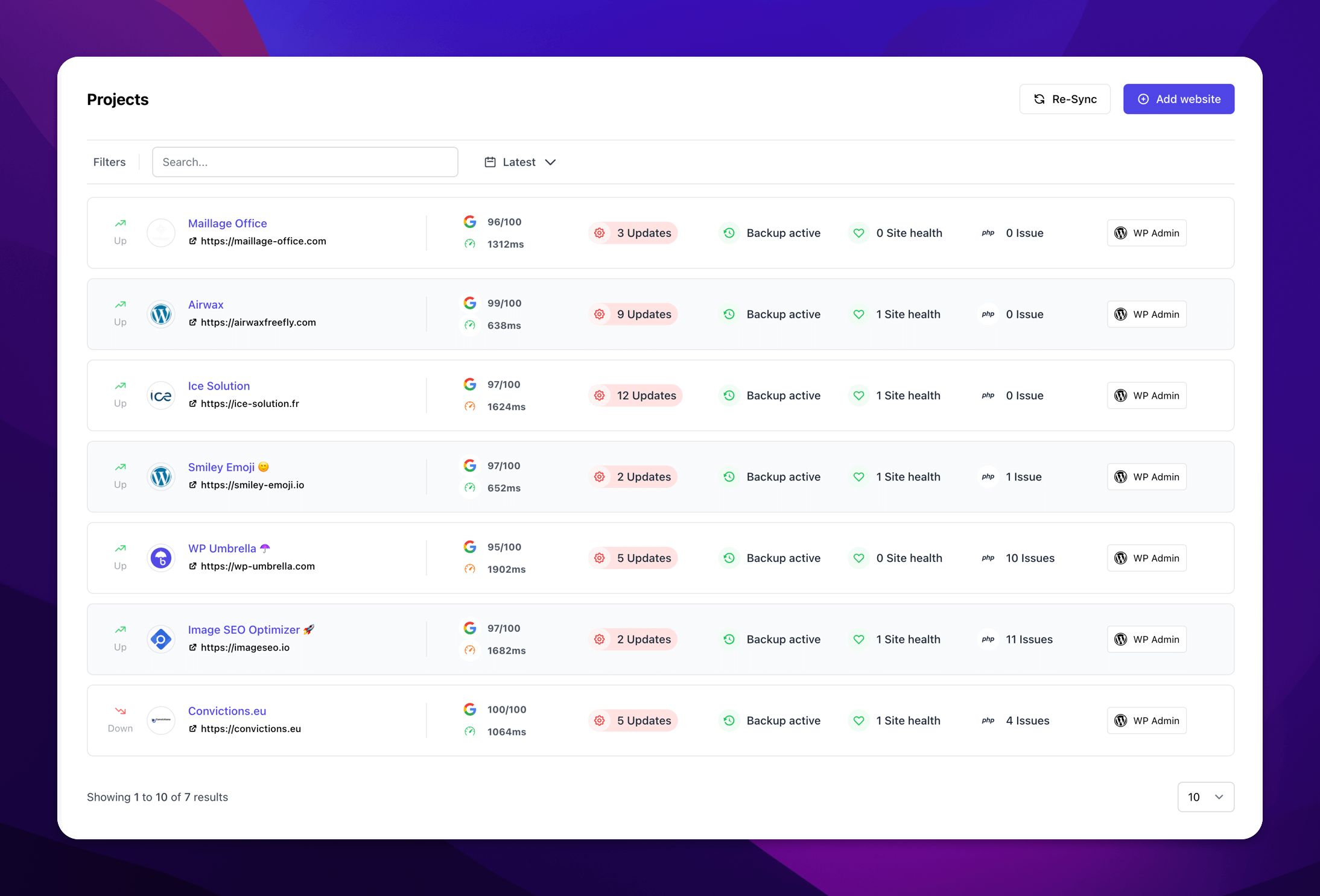
- The Centralized Security Dashboard. They have one place to see the security status of all their WordPress sites. It highlights vulnerabilities, outdated PHP versions, and other risks, so they can quickly spot which sites need attention instead of checking them one by one.
- Portfolio-wide vulnerability monitoring. WP Umbrella checks every site every six hours for known vulnerabilities in WordPress core, plugins, and themes (with on-demand manual scans too), powered by the Patchstack vulnerability database. When something’s flagged, they see the affected plugin or theme, how serious it is, and the exact version that fixes it, so they’re never guessing what to touch first.

✍️ “Every day we check website security across all of our sites and fix the critical ones as they come up. We rely heavily on that security feature.”
01.2. Safe updates feature
Then comes the updating itself: plugins, themes and core. Weekly updates for most sites and monthly for others, with anything critical jumping the queue.
But “just update everything” is exactly how a maintenance provider breaks a client’s site, so Work Hero runs updates through WP Umbrella’s Safe Updates feature.
WP Umbrella, before each update, takes a backup and a screenshot of the live page. After the update, it re-checks the site and takes a second screenshot to compare. If the page starts erroring or visually breaks, it rolls back to the pre-update state. The same safety checks apply when updating in bulk across multiple sites at once.
On top of that, for selected sites they switch on priority security updates: an option within Safe Updates that applies security fixes the moment they become available, independent of the regular weekly or monthly schedule.
That’s one more way they stay ahead of a freshly disclosed exploit instead of a week behind it, without compromising the safety net.
02. Quick reaction when attention is needed
This is the half that actually earns trust, and builds your business reputation.
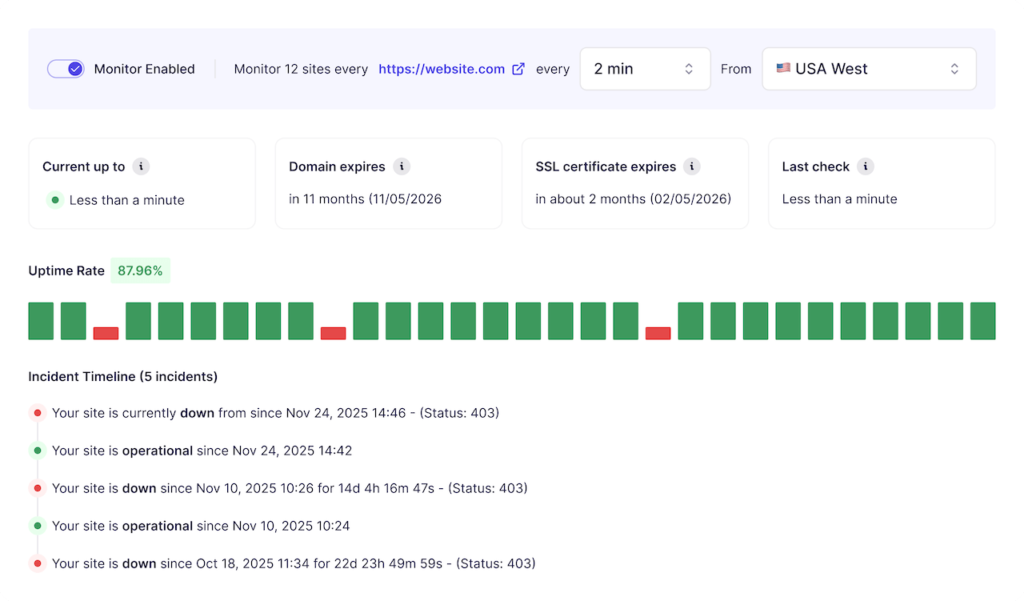
Work Hero markets 100% uptime. And every agency owner reading this knows no tool delivers a literal 100%. What makes it more than a slogan is what sits behind it: 24/7 uptime monitoring that flags a dip in seconds, and daily off-site backups that turn a hacked or broken site into a quick restore rather than a lost weekend.
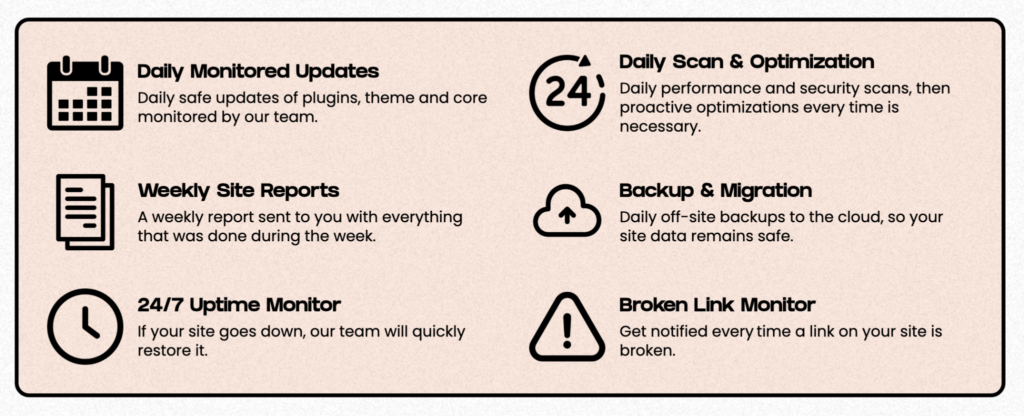
Their promise is “If your site goes down, our team will quickly restore it.”

✍️ “We grant our customers 100% uptime — and uptime monitoring, security, and monthly client reporting are the features that let us stand behind that.”
That’s the real retention mechanism. A client whose site goes down at 2 a.m. and is back before they wake, with a note explaining what happened, doesn’t churn. They mention you to other agencies.
WP Umbrella’s features that help with this are:
- 24/7 Uptime monitor. WP Umbrella checks each site as often as every 2 minutes, from five locations worldwide. Every event is logged as uptime history and can drop straight into the monthly client report.
- Backups with 1-click restore. Daily off-site backups are included for every site connected to WP Umbrella. They’re restorable in one click, with selective restoration available for the database only, specific files or the full site at once.
Job two: Show the value of the work
Doing the protective work always comes first. But to turn a grudging renewal into a loyal one, the value has to be visible. And this is where retention is won.
If the work itself is invisible, you have to show it.
At the end of every month, Work Hero generates and sends each client a polished maintenance report, through WP Umbrella, automatically.

With no manual assembly, the report uses smart variables to personalize the information and messaging to each client and their site. It’s also fully white-labeled: Work Hero’s logo, colors, and even their own sending domain, so it reads as their report, not a third party’s.
This is a fast and easy way to pull the whole month into one place, updates shipped, backups taken, uptime and site-health events, security and vulnerability work, plus any custom work done on the side that the team can add by hand during the month.
That report is the renewal conversation, happening on autopilot.
Many agencies assume clients don’t read reports, so they never send any. Work Hero saw it the other way. Reporting mattered enough to become one of the reasons to move off their old platform. Which is where their story with WP Umbrella actually begins.
Switching from ManageWP to WP Umbrella
Work Hero used to run on ManageWP. Parts of it were just fine, it was cost-effective, and its backup and restore was doing the job well. But the pieces that power client retention were falling behind.

✍️ “The report system feels quite outdated — same old UI, no new features, and not enough attention on website security.”
For a retention system built on visible reporting and proactive security, a dated report and thin security tooling aren’t just cosmetic problems.
WP Umbrella came recommended the most credible way possible: Work Hero’s own clients were already using it. After doing their own research, they decided to give WP Umbrella a try and gradually migrated their portfolio from one platform to the other. As their trust grew, they kept moving more sites over.
Ask Kevin for the headline number and you get a refreshingly honest answer: compared to before, WP Umbrella didn’t change how many clients they can take on, and it didn’t dramatically change their internal workflow.
But that modest statement is exactly what makes the real result credible. The value in Work Hero’s case wasn’t operational, it was strategic.
In the founder’s own words:
✍️ “Great experience overall working with WP Umbrella and the team! As the founder, I feel more confident in our maintenance offer than I did before we switched. We would definitely recommend it to others and ask them to switch to WP Umbrella without thinking twice.”
That’s the quiet payoff. The maintenance work itself didn’t change, but the way clients see it did. And so did the founder’s confidence in it.
And in a business with no contracts, built on trust, that’s the whole game: you don’t keep clients by locking them in. You keep them by making the value impossible to ignore, month after month. That’s exactly how Work Hero and WP Umbrella see it.
Recap
Work Hero maintains hundreds of WordPress sites for 60+ agencies across the US, UK, Canada, and Australia. They’ve grown and sustained their client base by catching issues early, responding quickly, and consistently demonstrating the value of their work month after month.
To do that, Work Hero relies on WP Umbrella for security and vulnerability monitoring, safe updates, uptime monitoring, daily backups, and automated maintenance reports. The reports bring all that work together and give clients a tangible summary of the value delivered each month.
Switching from ManageWP to WP Umbrella has given Work Hero greater confidence in their maintenance work, and they recommend it to anyone looking for a reliable WordPress management platform.
Ready to boost your productivity, impress your clients and grow your WordPress agency?
Install WP Umbrella on your websites in a minute and discover a new way to manage multiple WordPress sites.
Get Started for free