No credit card required

Built by a team that's run WordPress agencies before WP Umbrella existed. We grouped the core operational capabilities agencies need, without turning the platform into a feature dump.
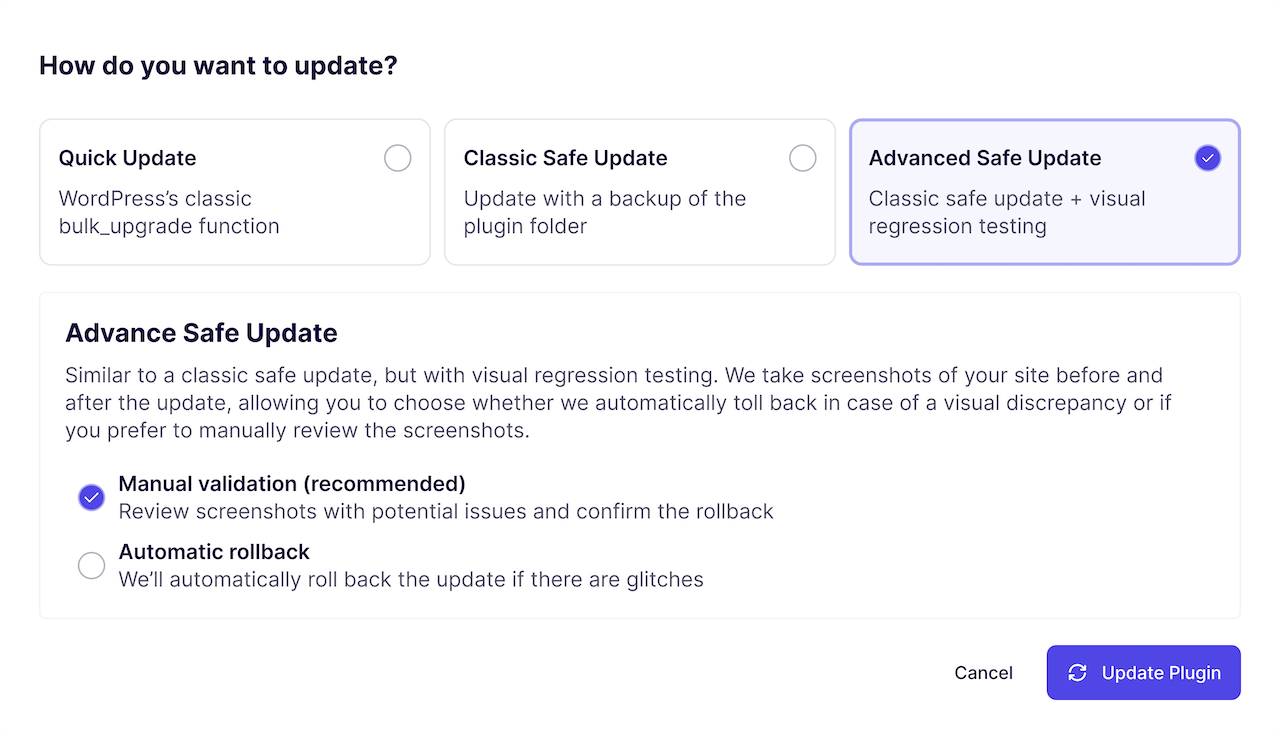
Keep WordPress sites updated automatically without breaking them.
WP Umbrella lets you automate updates while keeping control. Each update runs through visual regression testing, cache clearing, and database upgrade verification, and rolls back automatically if anything breaks. Every action is logged so teams know exactly what changed and when.
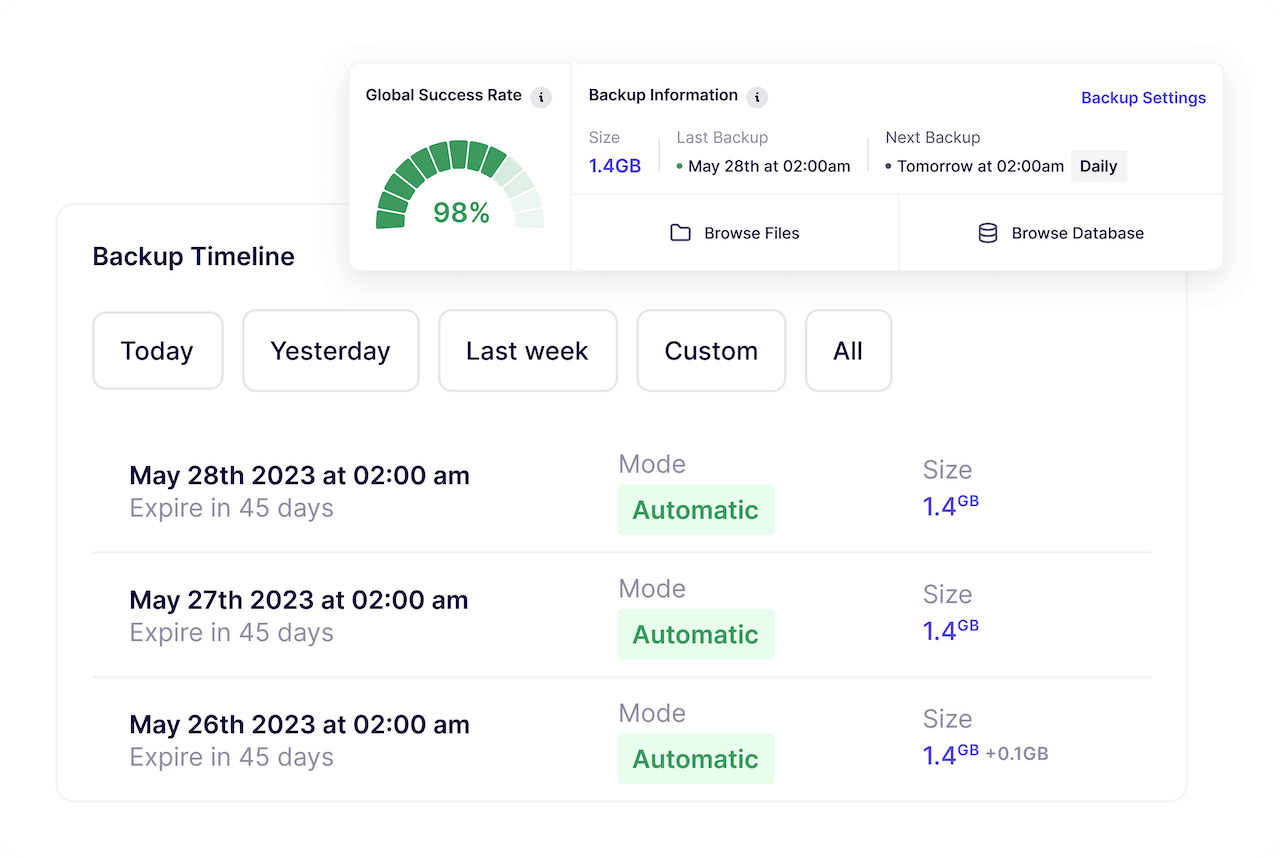
Backups you can trust, designed for real recovery, not just reassurance.
Backups run automatically and are built for real-world incidents: broken updates, hosting failures, and human error. You can quickly restore files or databases when needed.
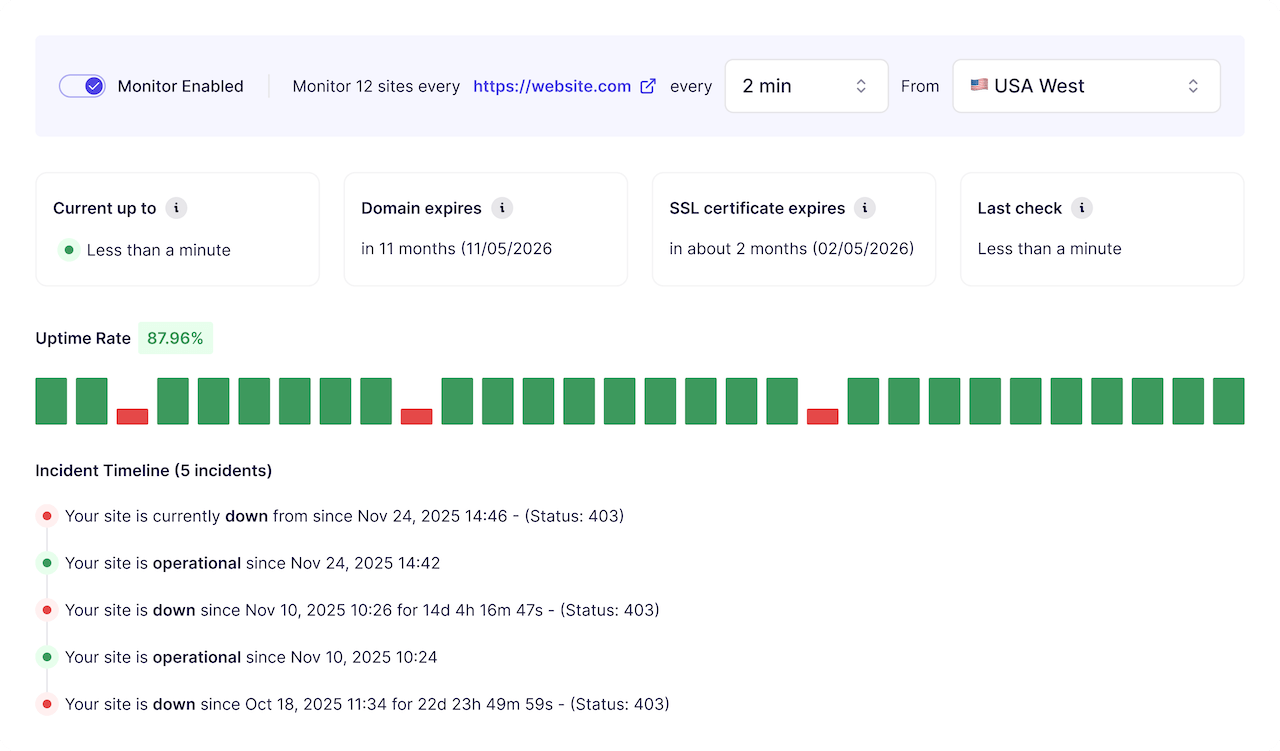
Know when something is wrong, before a client tells you.
WP Umbrella continuously monitors uptime, performance, SSL, and domain status. Alerts are actionable, and monitoring data stays accessible.
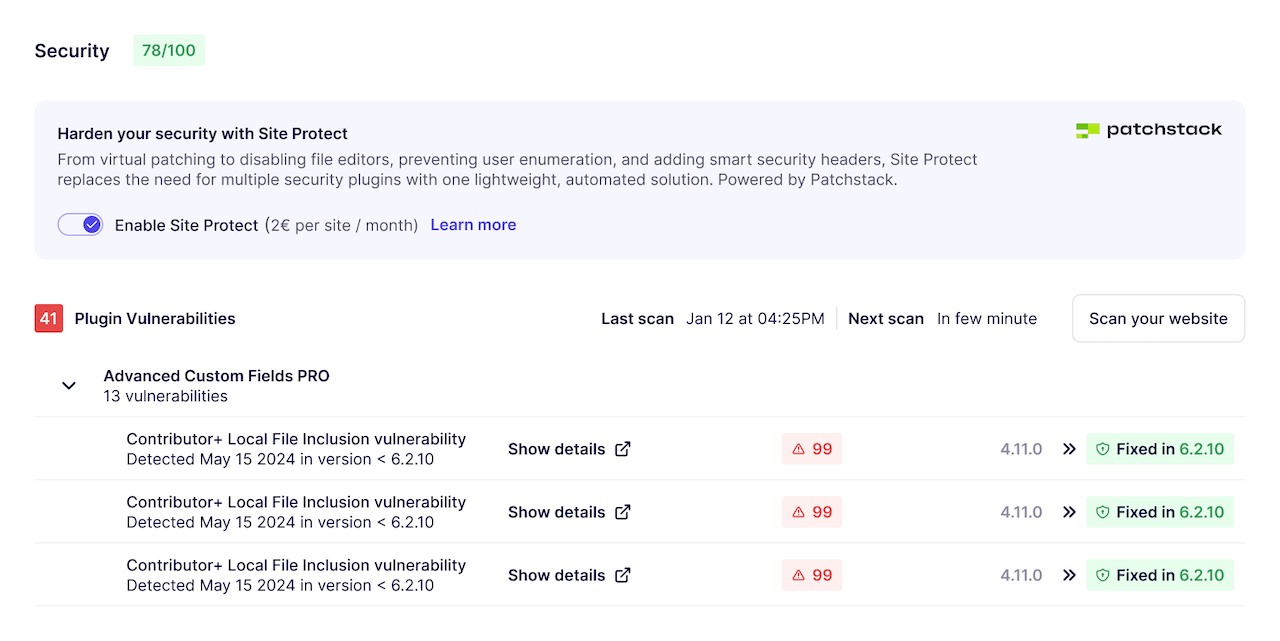
WP Umbrella brings security into your maintenance workflow so client sites stay protected.
Known issues are easy to review, and the Security add-on blocks exploits while proper updates are prepared. Security is handled before problems turn into incidents.
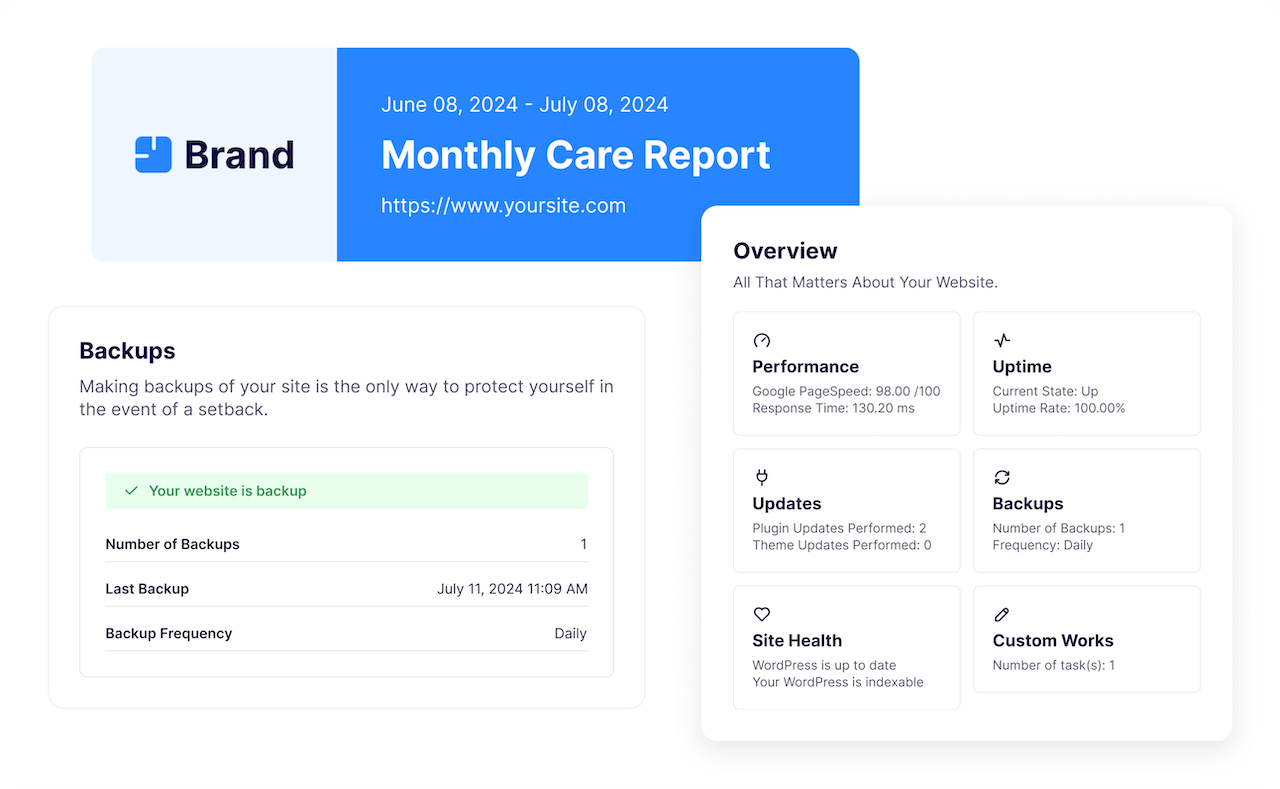
Turn maintenance work into clear, client-ready reporting.
Reports are generated automatically and include everything that matters: updates, backups, monitoring events, and custom work. They are designed to explain what was done and why it matters.
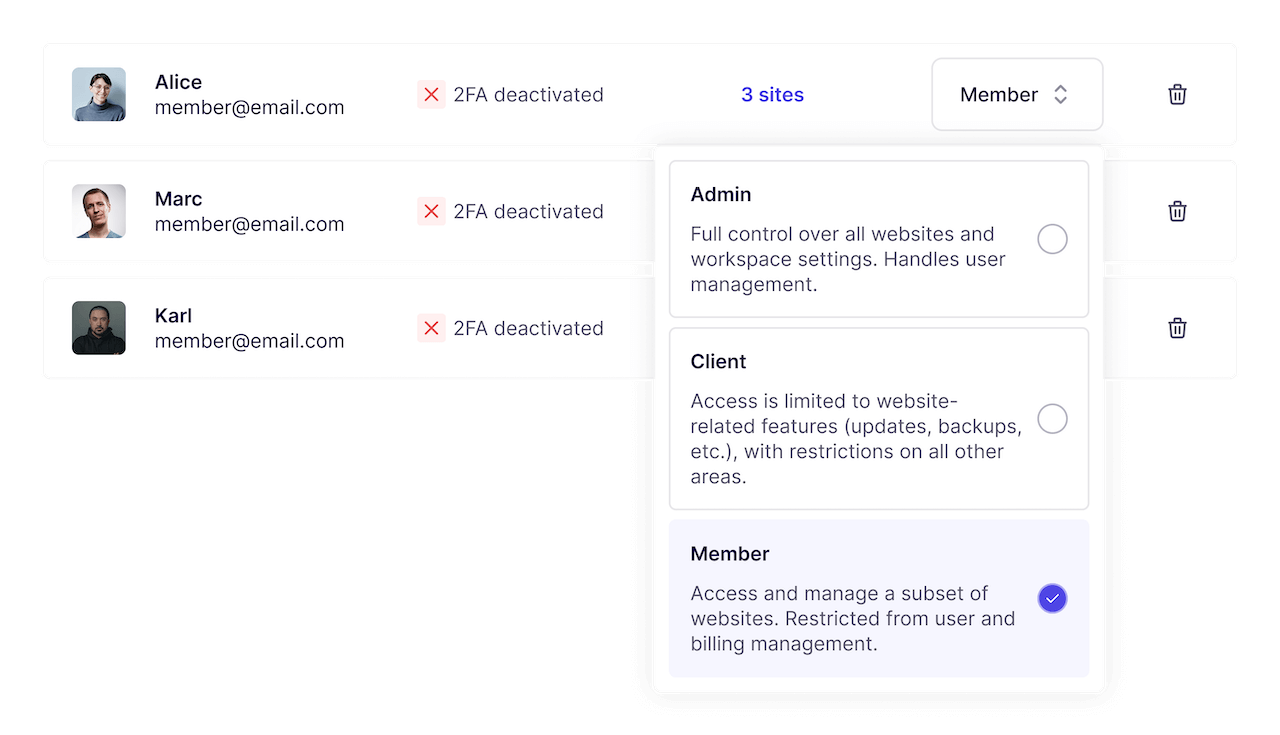
Operate safely as a team, with accountability built in.
WP Umbrella is built for shared responsibility. You can control who can do what, track every action, and maintain a clear audit trail across all sites and team members.
Fit into your existing stack without friction.
WP Umbrella integrates with the tools agencies already rely on. APIs and native integrations allow you to connect maintenance data to your internal workflows and client systems.
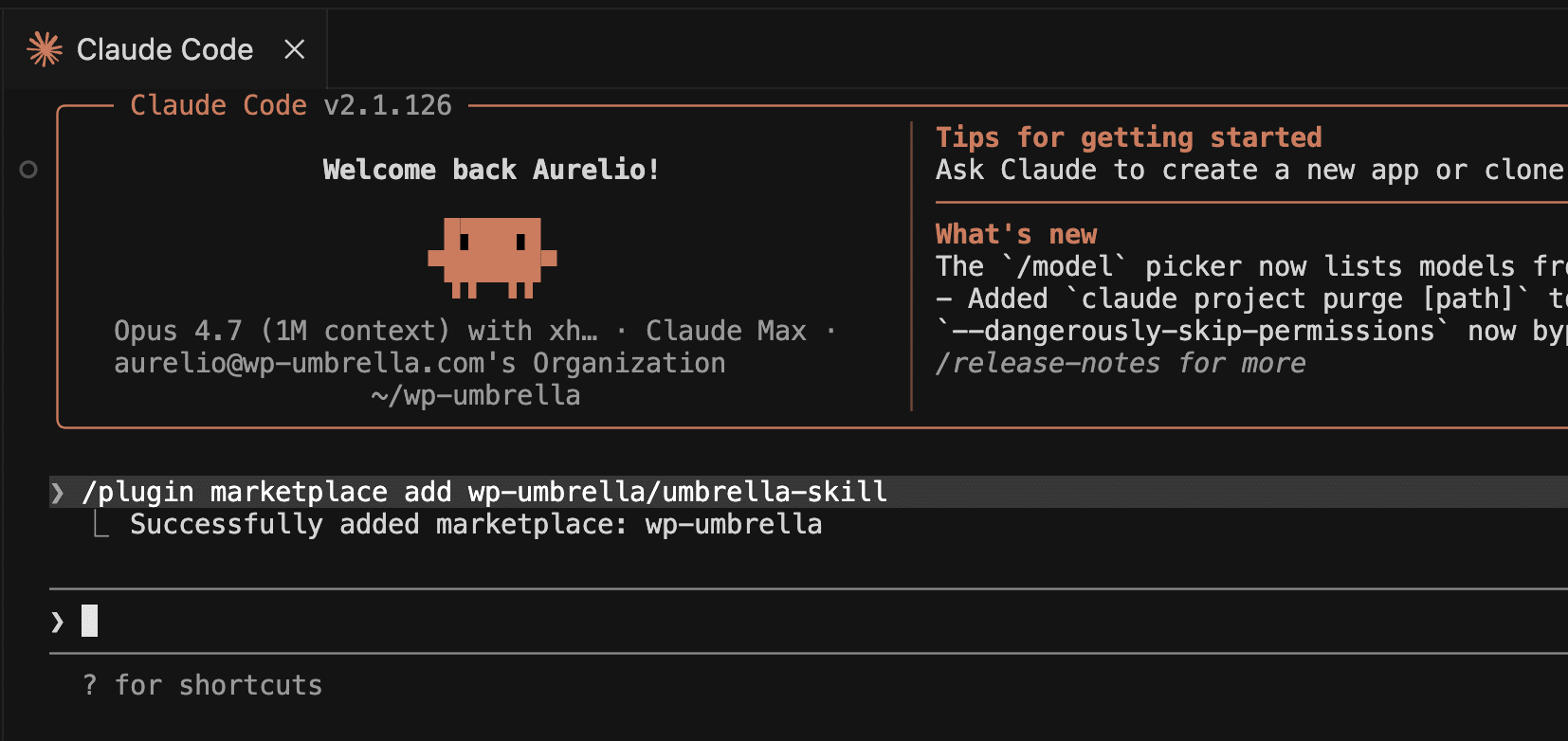
Run WP Umbrella from natural language and slash commands directly in your favorite LLM.
Talk to your WordPress sites from Claude Code or ChatGPT on the same safe-automation infrastructure your dashboard already uses. Ideal to learn things about your sites.
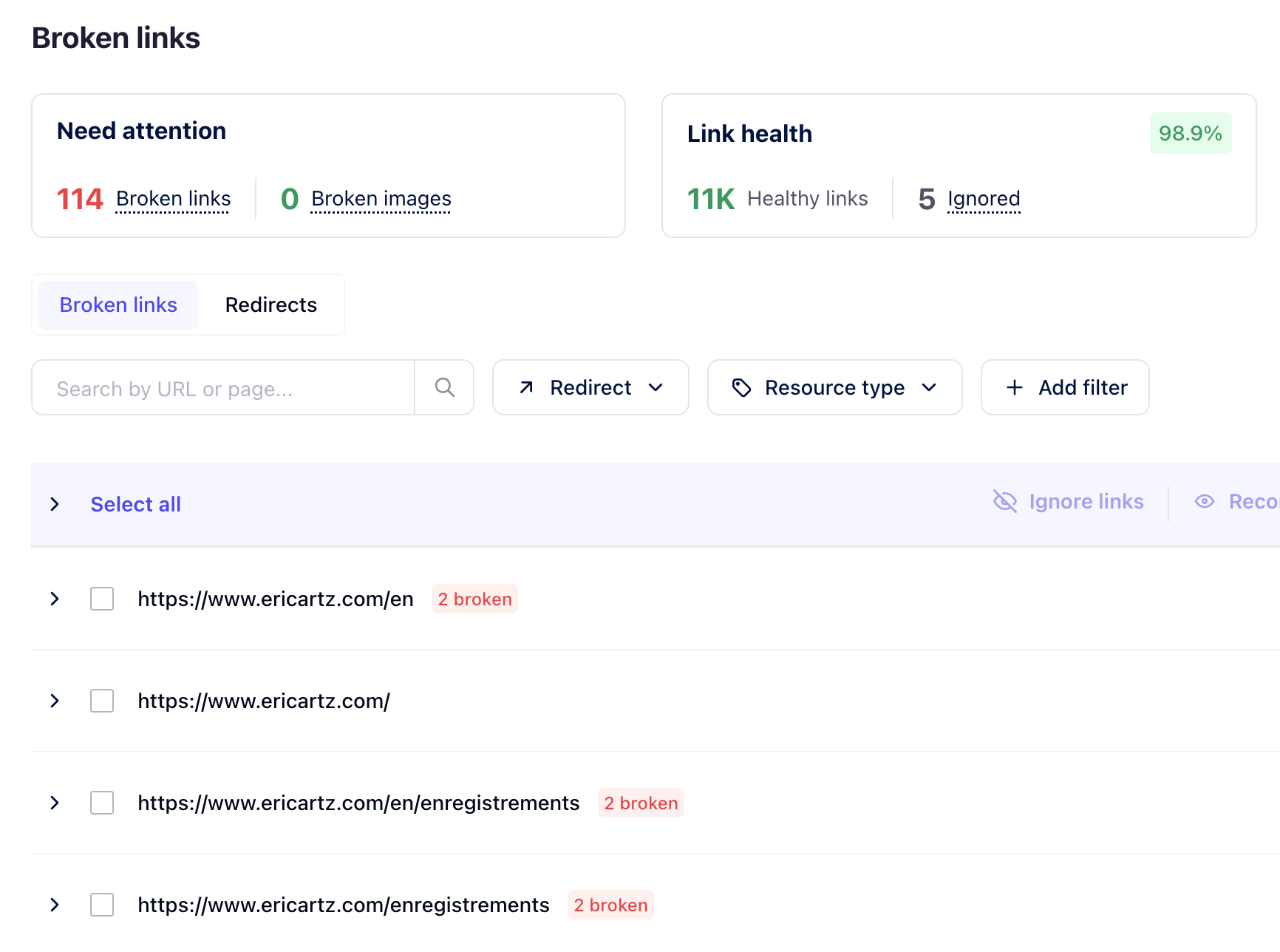
Catch broken links and missing images before clients or visitors do.
WP Umbrella crawls your sites on a schedule and surfaces broken links and missing images across pages, posts, and media. Issues are listed where you already work, so they can be fixed as part of your maintenance routine, not as a separate audit.
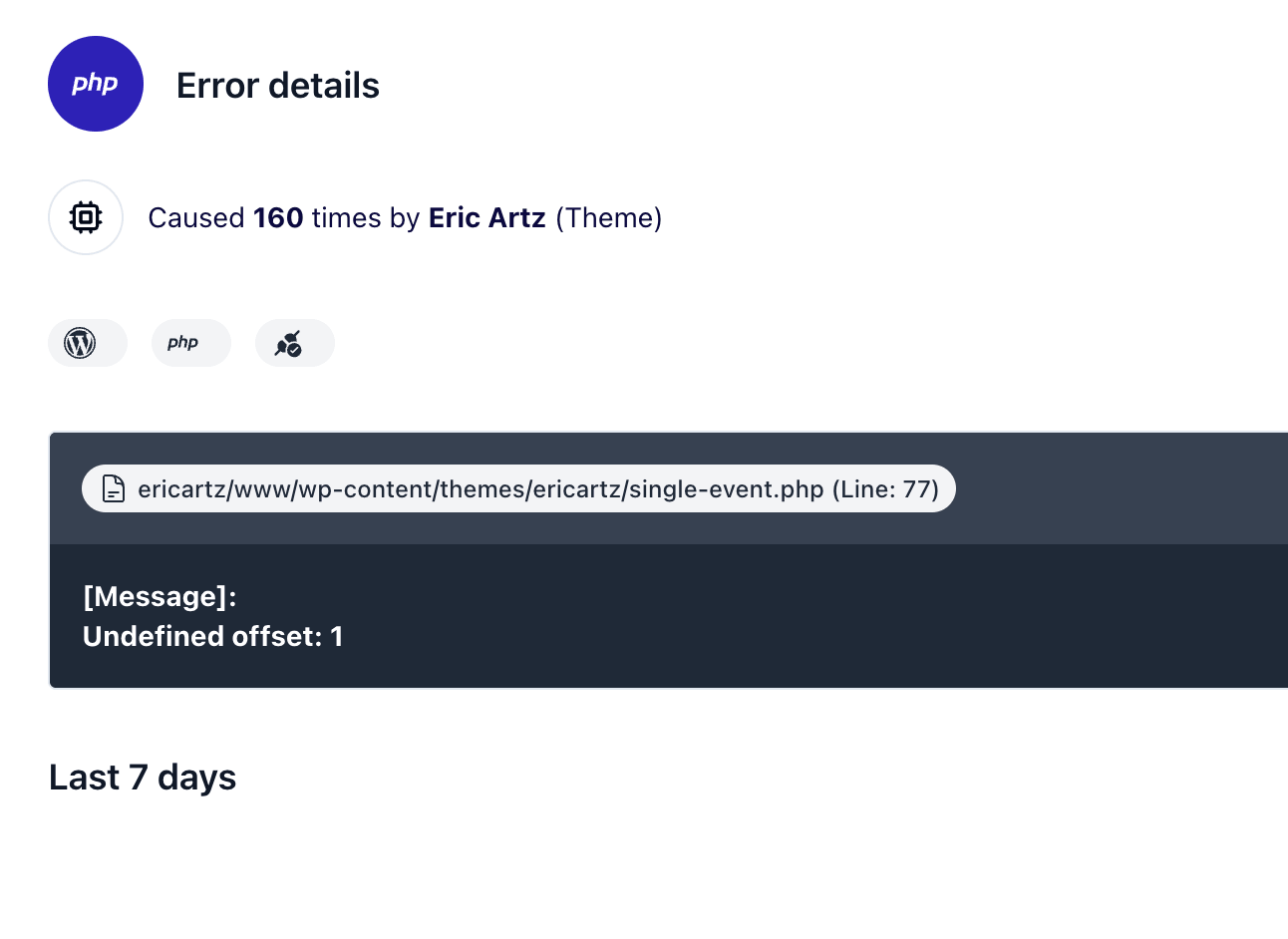
See PHP errors as they happen, without digging through server logs.
WP Umbrella collects PHP errors, warnings, and notices from every connected site and aggregates them in one place. You can spot recurring issues, identify which plugin or theme is responsible, and fix problems before they escalate into client tickets.
If you're coming from another management platform for WordPress, WP Umbrella's team can help migrate your sites and structure, so your workflow stays intact.
There's no manual work, no downtime, and no lock-in: disconnect any site at any time, export your data, no contract penalties.
Install our plugin on your site and enter your API key
Define update behavior, backup schedule, monitoring frequency, and access rights.
Updates, backups, and monitoring run continuously in the background.
Logs, histories, and alerts provide visibility without noise.
Maintenance work is documented and ready to share with clients.
WP Umbrella is built for freelancers and agencies who manage WordPress sites for clients as an ongoing service. It's designed for teams managing dozens of sites over time, where reliability, visibility, and client trust matter more than shortcuts. Some users manage 10–30 sites, others manage hundreds.
No. WP Umbrella does not replace hosting. It sits above your sites and focuses on maintenance operations: updates, backups, monitoring, security visibility, and reporting. Its role is to help you operate and explain maintenance safely, not to take control away from your existing stack.
WP Umbrella is designed with a single goal: helping agencies run maintenance for WordPress reliably. This shows in our uncluttered interface, our focus on reliability, and the way we handle migration and support. Agencies don't have to worry about hosting, maintaining, or securing the underlying infrastructure, or managing multiple subscriptions. WP Umbrella is built to be something agencies can rely on long term.
Before an update runs, WP Umbrella takes a backup of the plugin or theme folder. The update is then applied and automatically checked using visual regression and technical checks, including cache clearing and database upgrade. If a problem is detected, the update is rolled back automatically. You can also review the update and roll it back manually at any time. Everything is logged, so you always know what changed and why.
Backups run automatically and are designed for real recovery scenarios, not just completion status. You can restore files or databases when needed, review backup status across sites, and act quickly. Unlike most services, we treat backups as an operational safety net, not a checkbox.
WP Umbrella integrates vulnerability data directly into your maintenance workflow. Known issues are surfaced early, and virtual patching can reduce exposure while proper updates are prepared. This helps agencies keep client sites protected before problems turn into incidents. Security is handled as part of daily operations, not as an emergency response.
Yes. WP Umbrella generates automated, white-label reports that include updates, backups, monitoring events, and custom work. Reports are designed to explain what was done and why it matters. Many agencies use reporting to support renewals, reduce friction, and justify pricing.
Yes. You can invite team members and define permissions. This allows teams to share responsibility without losing accountability.
Migration doesn't need to become an internal project. WP Umbrella's team can help migrate your sites and structure, so your workflow stays intact. There's no downtime, no forced rework, and no lock-in: disconnect any site at any time, export your data, no contract penalties.
That's how most agencies start. Many users begin by connecting a few sites, setting basic guardrails, and letting the system run. As confidence grows, they standardize across their portfolio. WP Umbrella is designed so you don't need to change tools when your operation grows.
Yes. WP Umbrella is built with data responsibility in mind, including GDPR compliance and clear data ownership. Your data and your clients' data remain yours. We encrypt your backup, and we host it on servers we own in France and not on AWS or Google Cloud.
Trusted by 80,000+ sites (as of September 2026)
WP Umbrella is designed to grow with your care business, from your first maintenance clients to a mature, multi-site operation.