Update management exists so agencies can keep client sites up to date at scale, without breaking them. It's built for teams managing many sites who need automation, safety, and rollback when something goes wrong.
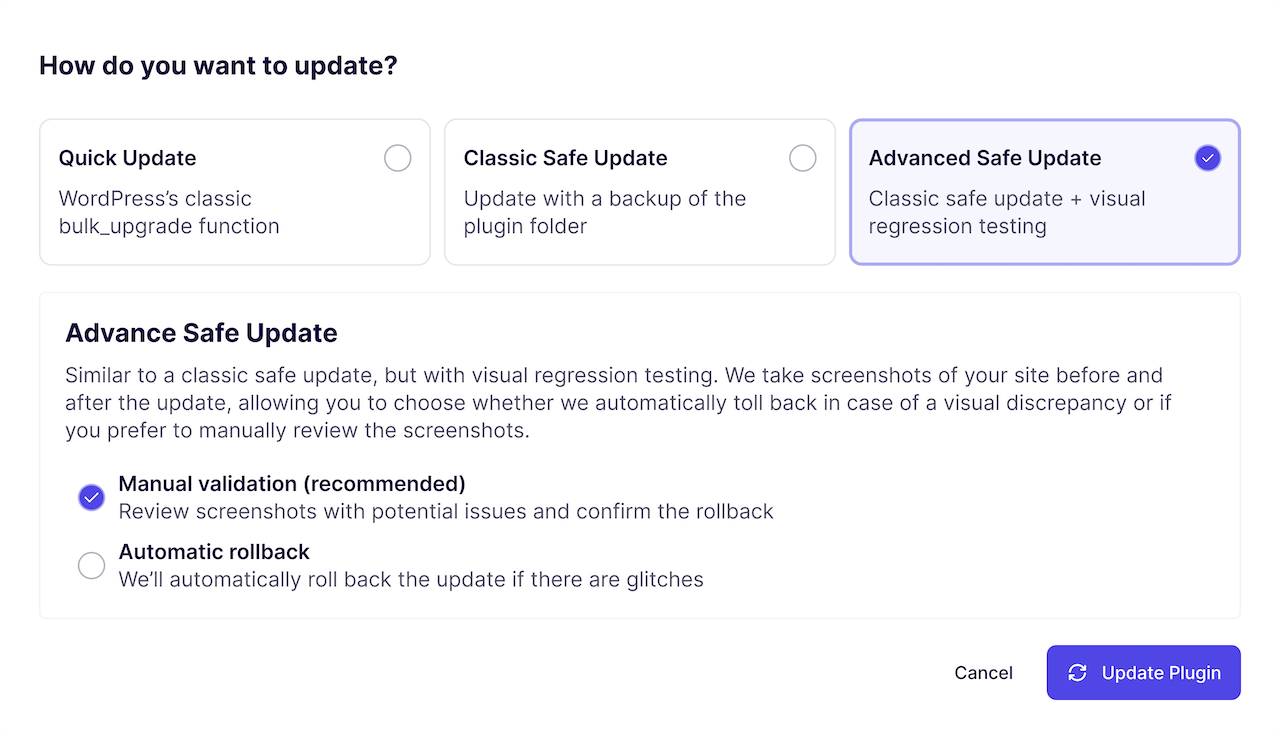
Before an update runs, WP Umbrella takes a backup of the site's files. This ensures recovery is possible if something goes wrong during the update process.
Before the update starts, WP Umbrella checks the compatibility requirements and takes a screenshot of your page.
Once the update is complete, we check the status code and take another screenshot to compare against the previous version.
If a problem is detected, the update is rolled back automatically using the pre-update backup. You can also review any update and trigger a rollback manually at any time.
After a successful update, cache is cleared automatically to ensure changes are visible and the site remains consistent.
Update management is designed to reduce risk as automation and site count increase.
You always know:
Bulk actions follow the same safety checks, validation steps, and rollback rules as individual updates. This allows teams to act across many sites without losing visibility or accountability.
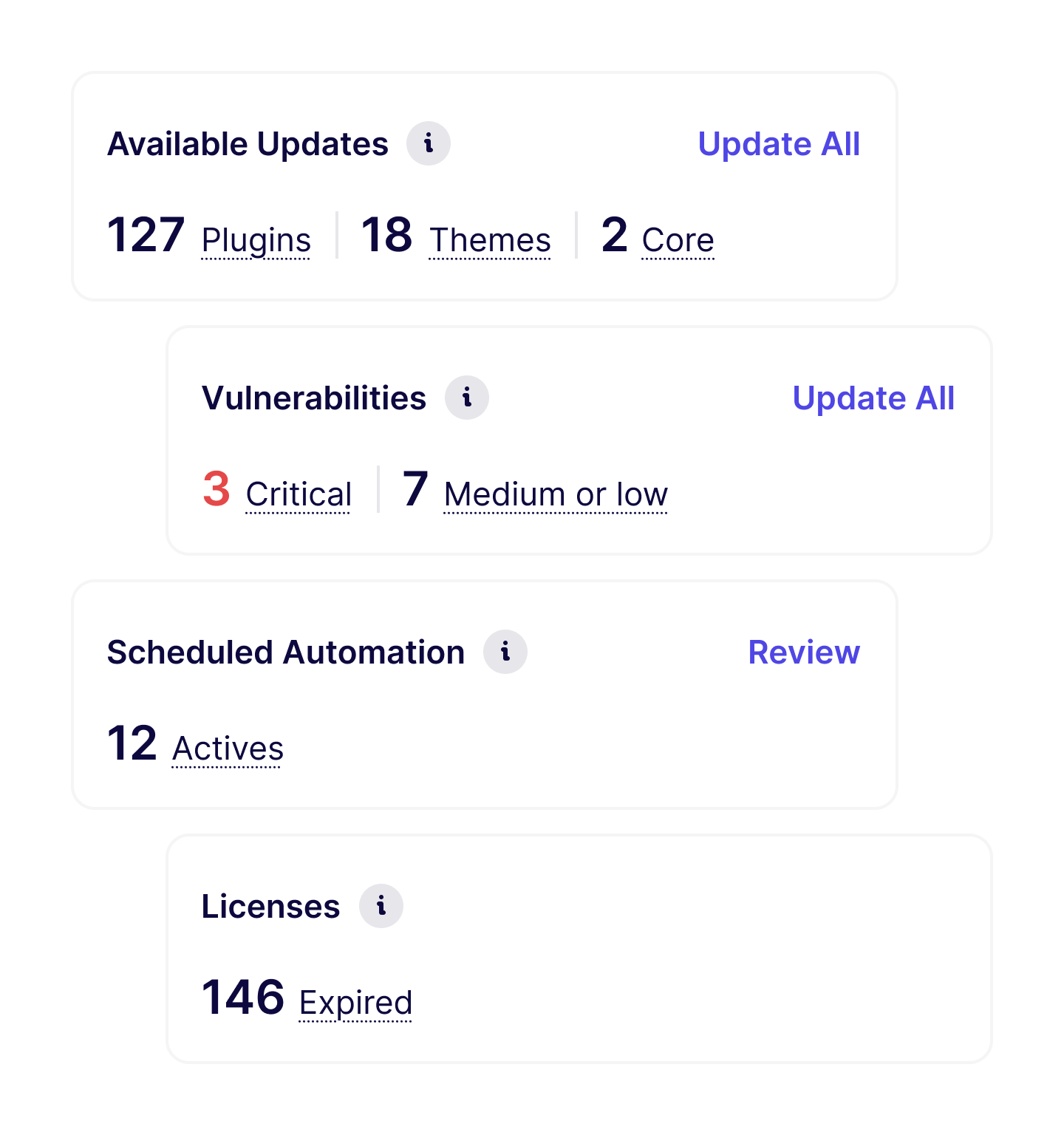
Most agencies start by handling updates manually while getting familiar with the system.
As confidence grows, they automate:
For more sensitive or revenue-critical sites, updates remain manual, but always with:
This lets agencies balance efficiency and caution across their entire portfolio.
Update management works best when combined with:
Together, they turn updates into a predictable maintenance process.
Used daily by agencies and freelancers managing client maintenance at scale
I used ManageWP for years, but I felt like it just got outdated. I had issues with their support which made me lose hope and that's when I moved to WP Umbrella.
 Jeffrey · Founder @ Lytbox
When a Cloudways customer asks us what the best WordPress management tool is, we are happy to recommend WP Umbrella.
 Muhammad · Product Marketing @ Digital Ocean
After trying virtually every management tool out there, I've fully moved my agency to WP Umbrella, and I'm convinced I won't need to look further.
 Kyle · Founder @ The Admin Bar
Most agencies begin by updating a few sites manually, then gradually introduce bulk actions and automation where it makes sense.
Yes. You can give WP Umbrella a 14-day test drive for free. No credit card required.
Safe Update creates a restoration point before each update, runs compatibility checks, and can take screenshots to detect visual changes. If a problem is detected after the update, WP Umbrella can automatically roll back to the previous state.
Quick update is a standard bulk update without a restoration point or visual regression. Classic Safe Update adds a restoration point, uptime and status code checks, and automatic rollback on failure. Advanced Safe Update adds visual regression monitoring (before/after screenshots) and lets you confirm or roll back based on visual changes.
Yes. You can schedule updates (e.g. during maintenance windows) and use bulk actions. Low-risk updates can be automated while more sensitive sites can stay manual, always with pre-update backups and validation.
If a problem is detected during or after a Safe Update (downtime, HTTP errors, or visual regression), WP Umbrella can automatically roll back using the pre-update backup. You can also trigger a manual rollback at any time.
Yes. After a successful update, caches are cleared automatically so changes are visible and your sites stay consistent.
Trusted by 70,000+ sites (as of May 2026)
WP Umbrella is designed to grow with your care business, from your first maintenance clients to a mature, multi-site operation.