Monitor uptime and performance for every WordPress site you manage, and spot issues before your clients do. Get alerts by email or Slack, track trends over time, and prove your value with clear reporting.
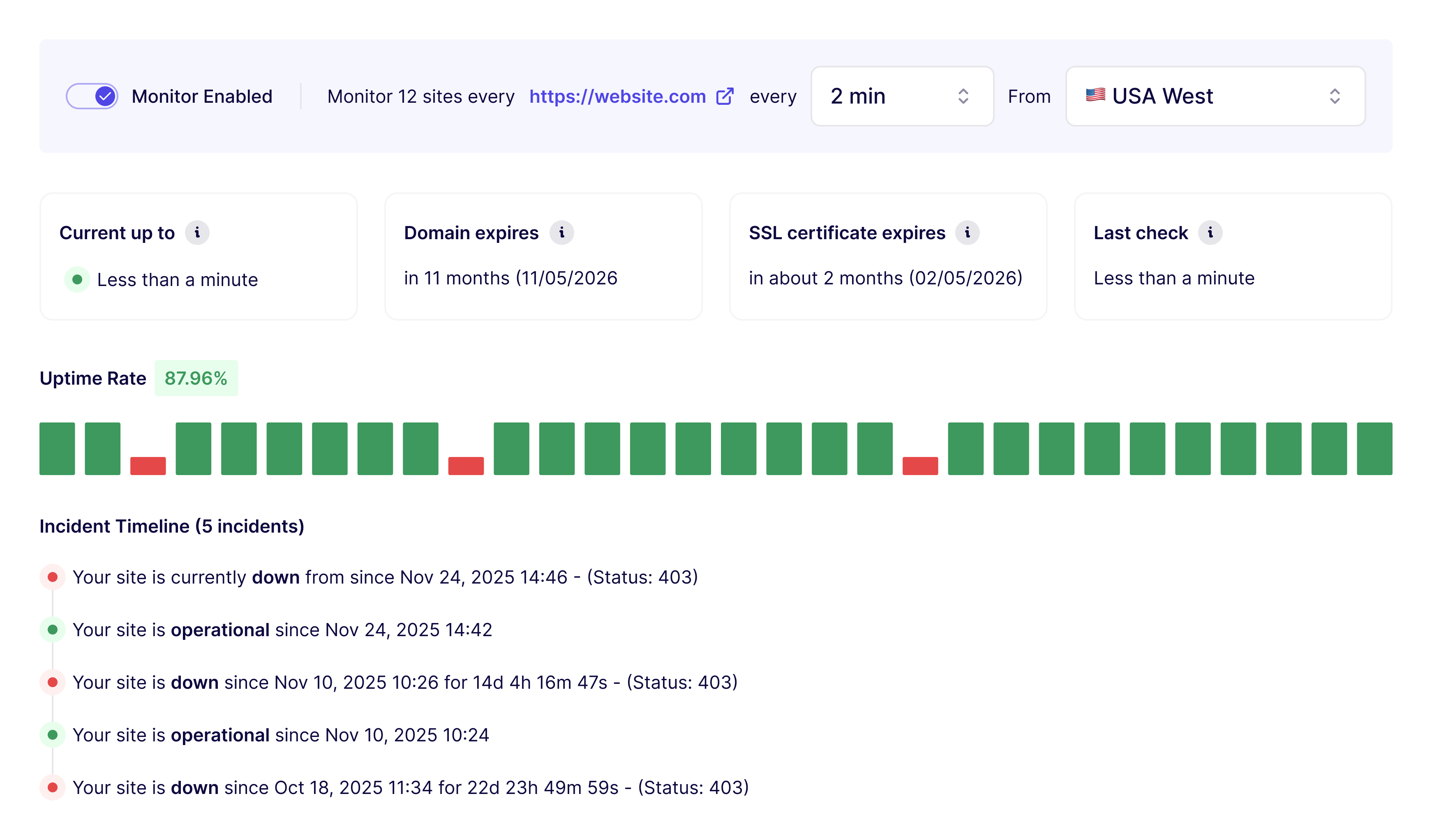
WP Umbrella continuously monitors key signals across your sites, including uptime, performance, SSL certificates, and domain expiration.
When an issue is detected, alerts are triggered with enough context to understand what's happening.
Google PageSpeed data is collected for both desktop and mobile, so agencies can track how sites behave for real visitors.
WP Umbrella surfaces configuration and health warnings that commonly lead to issues, such as outdated PHP versions or misconfigurations.
Monitoring and incident data is stored so it can be reviewed later.
You always have access to:
This way monitoring data becomes valuable for both performance improvements and client reporting.
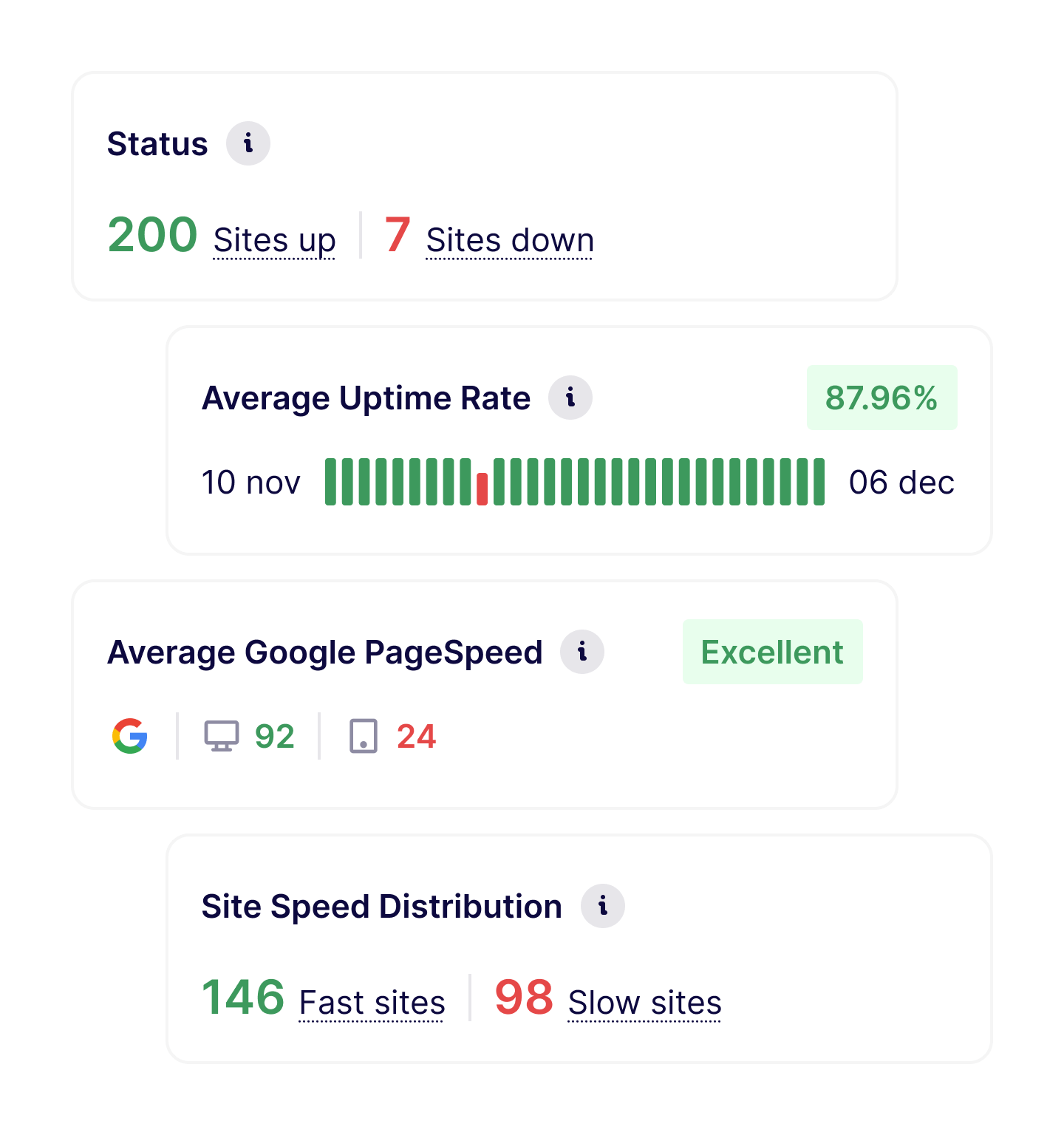
Most agencies use monitoring as an early warning system:
As portfolios grow, monitoring becomes essential to maintain service quality without constant manual checks.
Uptime and performance monitoring works best when combined with:
Together, they turn updates into a predictable maintenance process.
Join thousands of agencies and freelancers who trust WP Umbrella
I used ManageWP for years, but I felt like it just got outdated. I had issues with their support which made me lose hope and that's when I moved to WP Umbrella.
 Jeffrey · Founder @ Lytbox
When a Cloudways customer asks us what the best WordPress management tool is, we are happy to recommend WP Umbrella.
 Muhammad · Product Marketing @ Digital Ocean
After trying virtually every management tool out there, I've fully moved my agency to WP Umbrella, and I'm convinced I won't need to look further.
 Kyle · Founder @ The Admin Bar
Most agencies start by monitoring all client sites, then gradually use the data to refine maintenance routines and response times.
WP Umbrella monitors uptime, performance (desktop and mobile), vulnerability, SSL certificates, domain expiration, and site health signals related to configuration and environment.
Monitoring runs continuously, with configurable intervals and locations.
Yes. Alerts are triggered when downtime or critical issues are detected, so you can act before clients are affected.
Yes. Monitoring data and alerts are stored so you can review incidents, understand patterns, and improve maintenance processes over time.
Yes. Monitoring events and availability data can be included in client maintenance reports to help explain incidents and ongoing work.
Trusted by 60,000+ sites
WP Umbrella is designed to grow with your care business, from your first maintenance clients to a mature, multi-site operation.