The WP Umbrella MCP is an MCP server that connects Claude, Cursor, ChatGPT and other MCP-compatible assistants to the WordPress sites you manage in WP Umbrella. Until now, asking your assistant about client sites meant exporting a CSV or letting it guess. Now it works from live data. You decide exactly what it can touch, and you can see everything it did.
Once connected, your assistant answers from live WP Umbrella data: pending updates, vulnerabilities, backups, uptime, performance, broken links and maintenance history.
The questions agencies ask it look like this:
With write access on, you can also ask it to act: “Update Yoast on every site where it’s outdated.” If that action is set to ask, nothing runs until you say yes.
WP Umbrella comes with a prompt library for everything, to help you optimize your business operations.
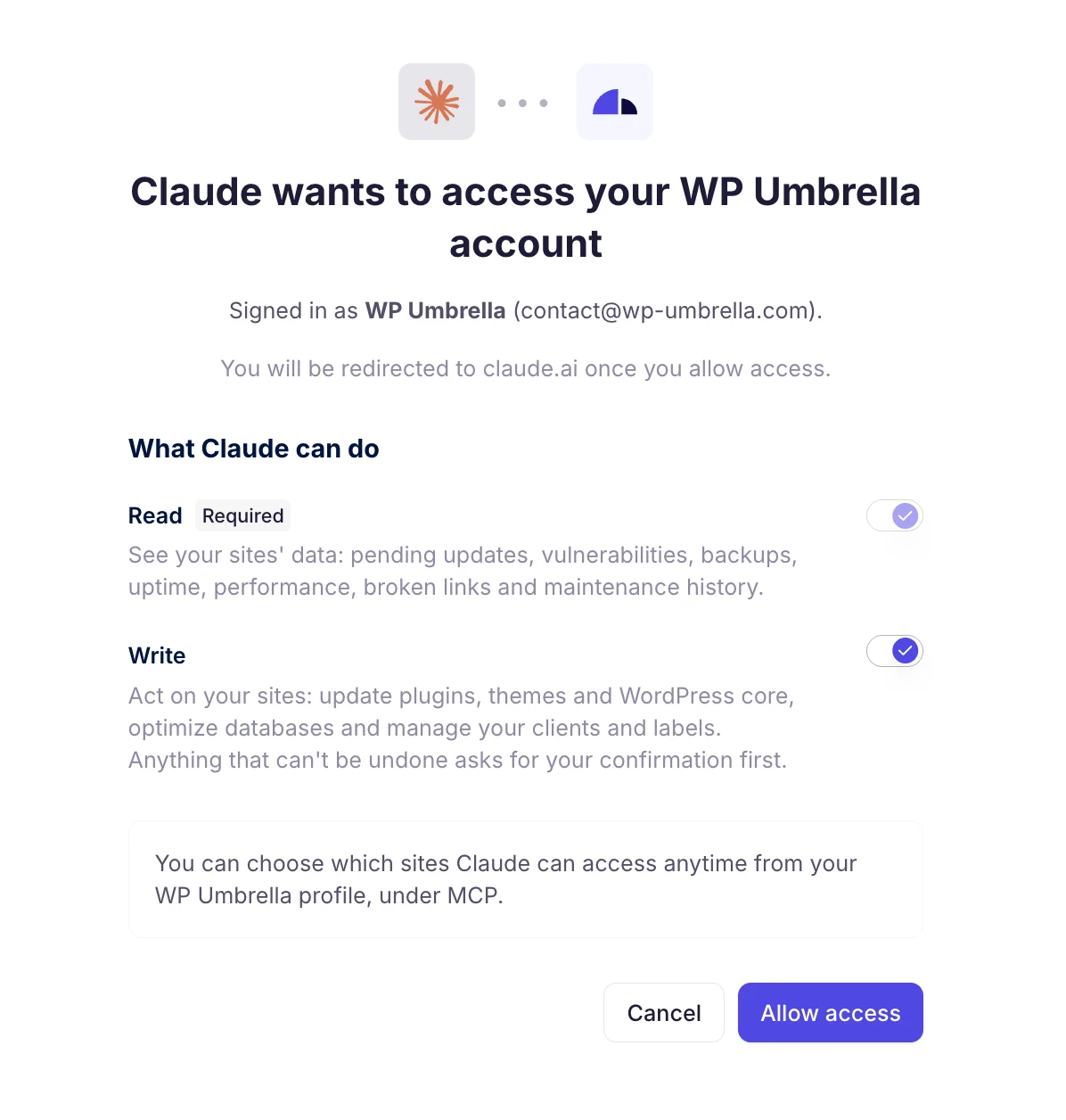
In WP Umbrella, open your profile and go to MCP. Claude, Cursor and ChatGPT connect in one click. Other MCP-compatible assistants use the server URL.
Sign in with your WP Umbrella account, with no token to store. Read access is on. Write access stays off unless you switch it on.
Ask in plain language. Answers come from the live data behind your dashboard.
An assistant with write access to client sites can be a great teammate or a liability. The difference is control, not good manners.
The WP Umbrella MCP is read-only by default. Write access is a separate switch, and you decide which sites and which actions it covers:
Write access covers plugin, theme and WordPress core updates, database optimization, and managing your clients and labels.
Your assistant reads and acts through the features you already run:
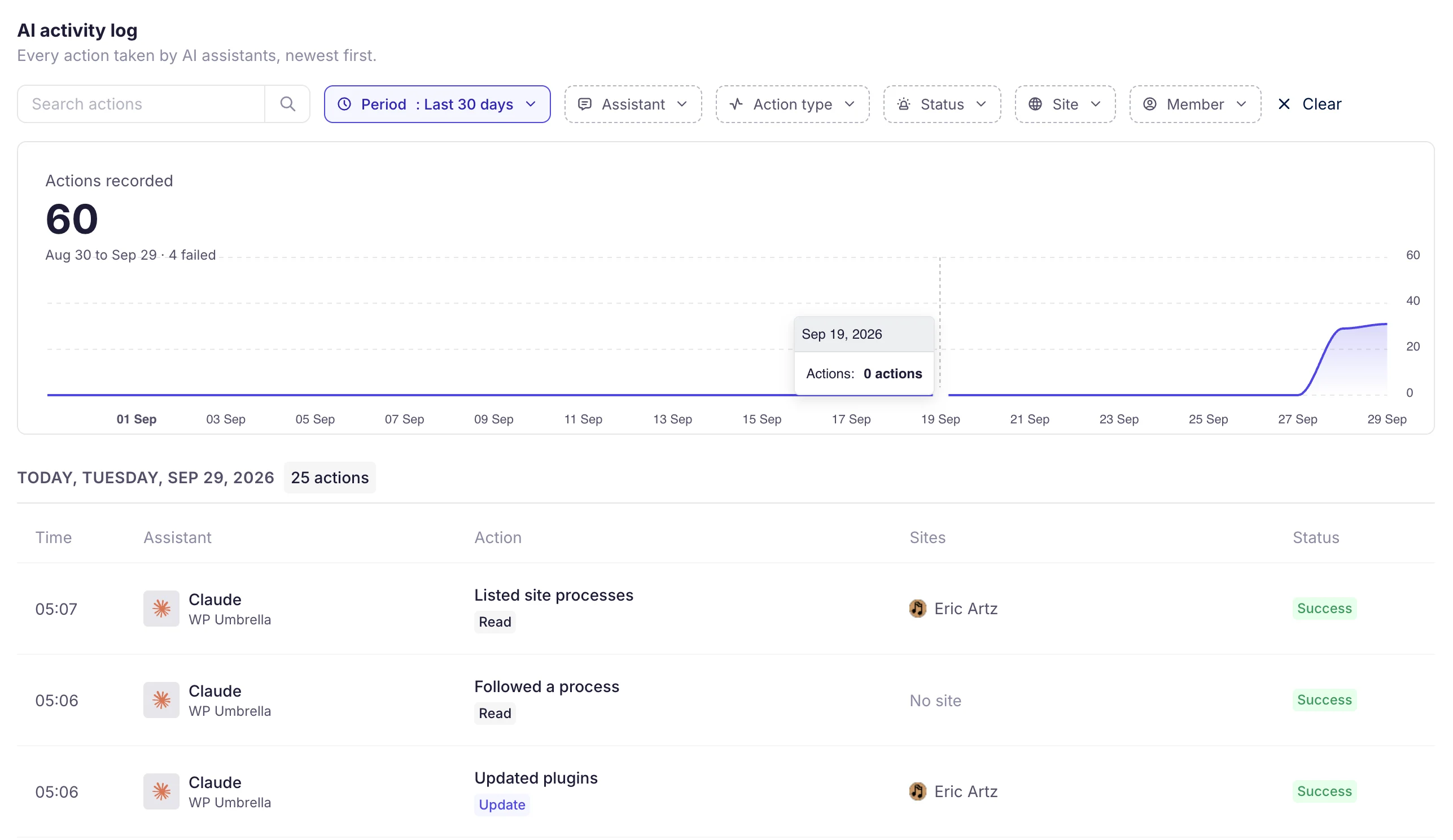
Every action your assistants take lands in the AI activity log.
Each line tells you when it ran, which assistant ran it, what it did, on which site and whether it worked. When a teammate asks “who updated that plugin?”, filter by site, assistant, action type, status or team member and you have the answer.
Join thousands of agencies and freelancers who trust WP Umbrella
I used ManageWP for years, but I felt like it just got outdated. I had issues with their support which made me lose hope and that's when I moved to WP Umbrella.
 Jeffrey · Founder @ Lytbox
When a Cloudways customer asks us what the best WordPress management tool is, we are happy to recommend WP Umbrella.
 Muhammad · Product Marketing @ Digital Ocean
After trying virtually every management tool out there, I've fully moved my agency to WP Umbrella, and I'm convinced I won't need to look further.
 Kyle · Founder @ The Admin Bar
Connect your assistant, ask it about a few sites, and see what comes back. Turn on write access later, one action at a time.
The WP Umbrella MCP is an MCP server that connects AI assistants to your WP Umbrella account. MCP (Model Context Protocol) is the open standard Claude, Cursor and ChatGPT use to connect to other tools. Once connected, your assistant reads your sites' data and, if you allow it, acts on them.
In WP Umbrella, open your profile and go to MCP. Claude, Cursor and ChatGPT connect in one click. Sign in with your WP Umbrella account, then pick the sites the assistant can reach. Other MCP-compatible assistants use the server URL.
No. You sign in with your WP Umbrella account. There's no token to copy or store.
By default, yes. Read access covers pending updates, vulnerabilities, backups, uptime, performance, broken links and maintenance history. Write access stays off unless you turn it on.
It can update plugins, themes and WordPress core, optimize databases, and manage your clients and labels. You set each action to allow, ask or block, and anything that can't be undone asks for your confirmation first.
Yes. Each assistant only reaches the sites you give it, and you can change that anytime from your profile, under MCP.
The AI activity log records every action with its time, assistant, site and status. You can filter it by assistant, action type, status, site and team member.
No. The WP Umbrella MCP replaces umbrella-skill. It works with more assistants, connects without a token, and adds per-site access, per-action rules and an activity log.
Trusted by 100,000+ sites (as of November 2026)
WP Umbrella is designed to grow with your care business, from your first maintenance clients to a mature, multi-site operation.