Monitor uptime and performance for every WordPress site you manage, and spot issues before your clients do. Get alerts by email or Slack, track trends over time, and prove your value with clear reporting.
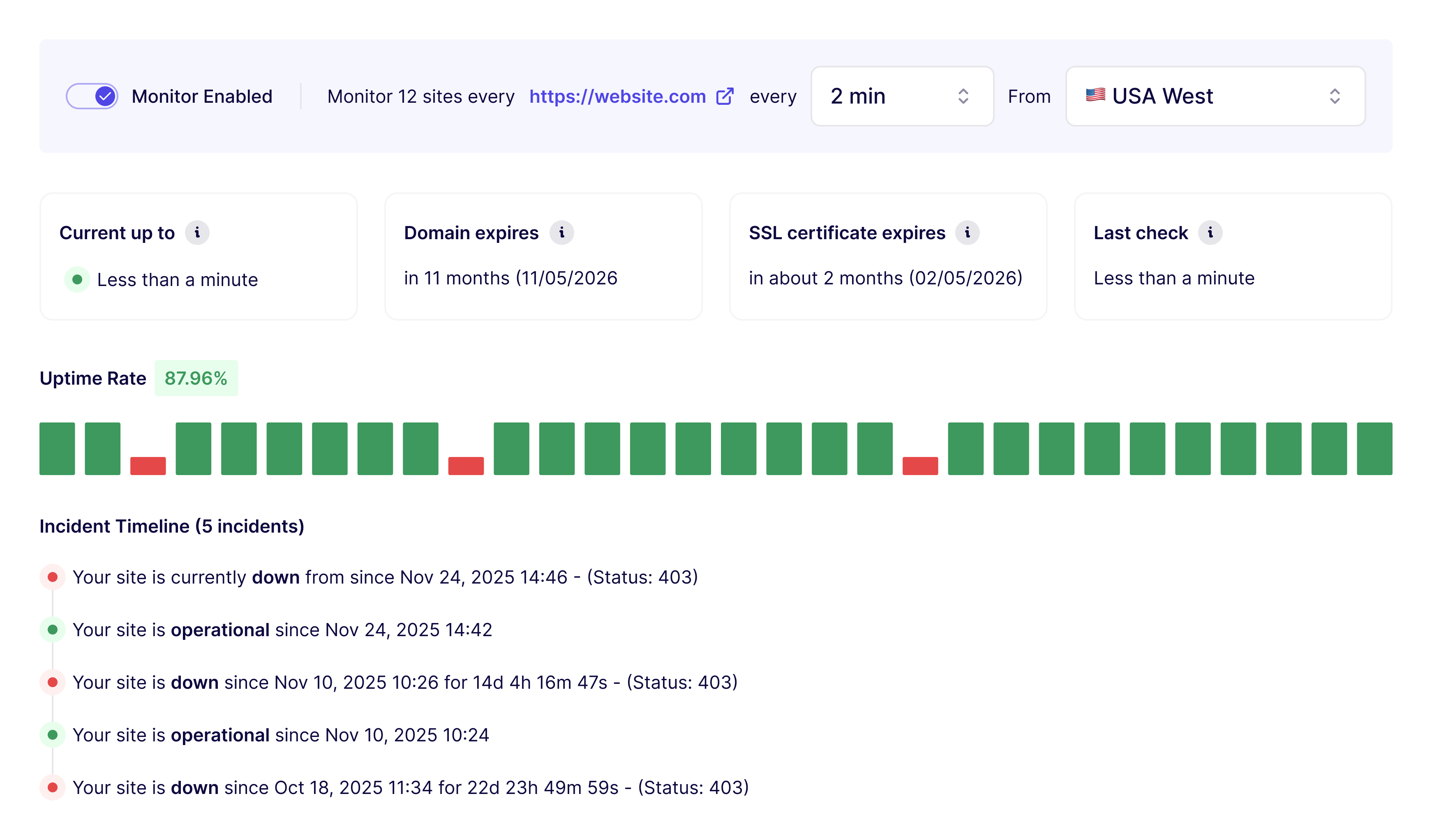
WP Umbrella continuously monitors key signals across your sites, including uptime, performance, SSL certificates, and domain expiration. Uptime checks run at the interval you choose, from every minute to every hour, from monitoring locations in Europe, the US East and West coasts, Asia, and Australia. Checks come from outside your site, so a server that goes down can't fail to report itself.
When an issue is detected, an alert goes out by email or Slack with enough context to understand what's happening: which site, what failed, and when it started. You hear about downtime from WP Umbrella, not from your client.
Google PageSpeed Insights data, including Core Web Vitals (LCP, CLS, and INP), is collected for both desktop and mobile, so agencies can track how sites behave for real visitors and catch slowdowns before they hurt rankings.
WP Umbrella surfaces configuration and health warnings that commonly lead to issues, such as outdated PHP versions or misconfigurations.
Monitoring and incident data is stored so you can review it later: uptime history, performance trends, and past incidents for every site. That history turns monitoring from an alarm into evidence you can show clients.
Monitoring also covers security: plugins, themes, and WordPress core are checked against known vulnerabilities, and you're alerted when a site in your portfolio is exposed. See security & vulnerability management for the full picture.
You always have access to:
This way monitoring data becomes valuable for both performance improvements and client reporting.
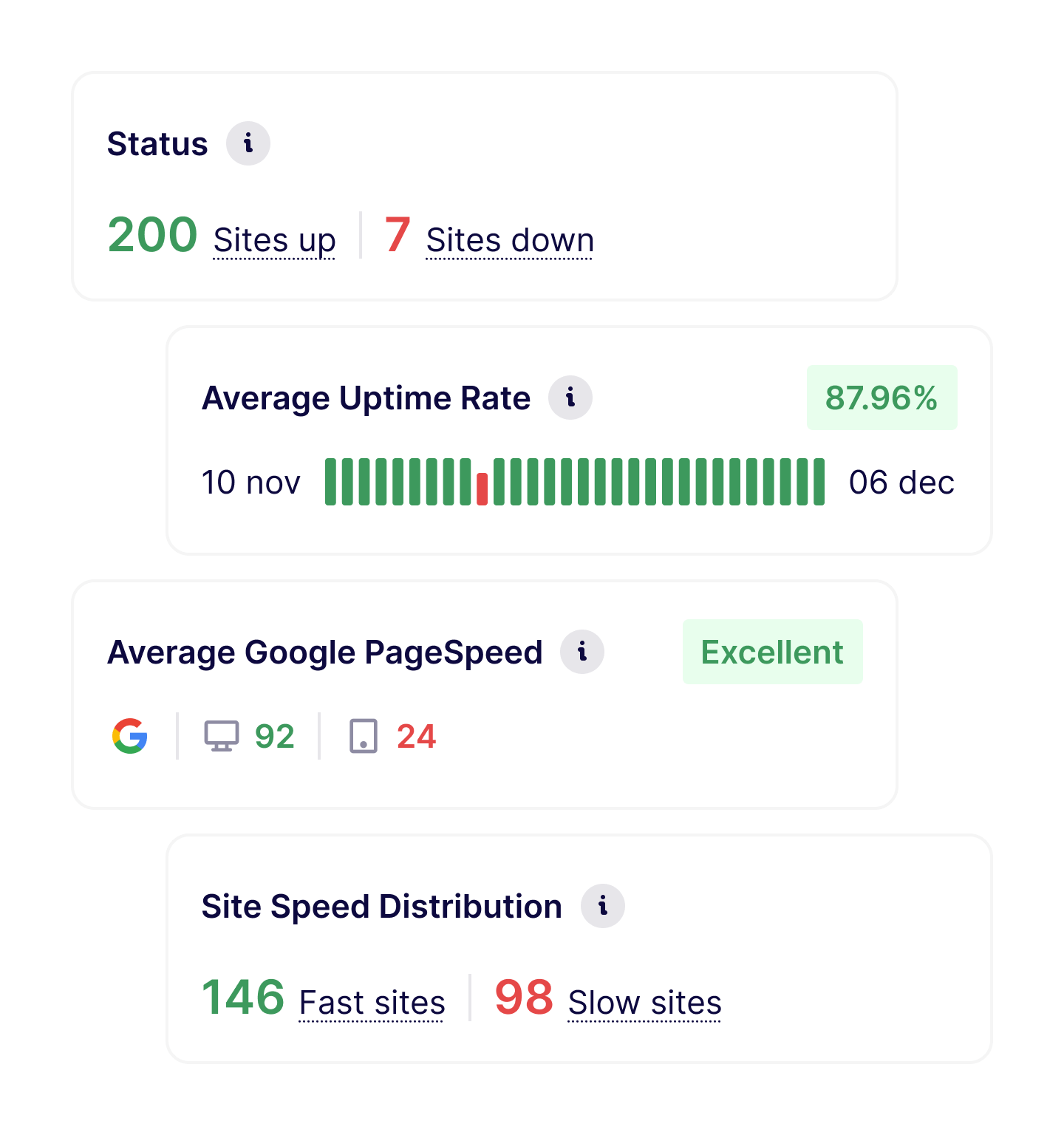
A site that's up but slow still loses visitors, conversions, and rankings. That's why WP Umbrella tracks performance alongside availability, using Google PageSpeed Insights and Core Web Vitals:
Scores are collected for desktop and mobile and tracked over time. The trend matters more than any single number: a slow decline after a plugin update, a jump after an optimization sprint. For agencies, those trends are the difference between claiming a site is maintained and proving it.
A WordPress monitoring plugin runs inside the site it's supposed to watch. When the server goes down, the plugin goes down with it. The one moment you need an alert is the moment it can't send one.
WP Umbrella monitors from the outside, from its own infrastructure across five regions, so a crashed site gets detected instead of staying silent. Standalone uptime services such as UptimeRobot or Pingdom also check from the outside, and they do that job well. What they can't see is WordPress itself: pending updates, PHP versions, vulnerabilities, and the client-ready report that explains an incident. WP Umbrella puts the checks and the WordPress context in one platform.
It works the same on any hosting (WP Engine, Kinsta, Cloudways, or your own servers), so a mixed client portfolio doesn't mean mixed monitoring.
Most agencies use monitoring as an early warning system:
As portfolios grow, monitoring becomes essential to maintain service quality without constant manual checks. That's true at ten sites and unavoidable at a hundred. WP Umbrella keeps the whole portfolio on one screen, including WordPress multisite networks: fleet-wide uptime at a glance, incident history per client, and trend views that show which sites need attention next. Agencies running care plans use that history to set response-time expectations with clients, and to prove they were met.
Uptime and performance monitoring works best when combined with:
Together, they turn updates into a predictable maintenance process.
Join thousands of agencies and freelancers who trust WP Umbrella
I used ManageWP for years, but I felt like it just got outdated. I had issues with their support which made me lose hope and that's when I moved to WP Umbrella.
 Jeffrey · Founder @ Lytbox
When a Cloudways customer asks us what the best WordPress management tool is, we are happy to recommend WP Umbrella.
 Muhammad · Product Marketing @ Digital Ocean
After trying virtually every management tool out there, I've fully moved my agency to WP Umbrella, and I'm convinced I won't need to look further.
 Kyle · Founder @ The Admin Bar
Most agencies start by monitoring all client sites, then gradually use the data to refine maintenance routines and response times.
WP Umbrella monitors uptime, performance (desktop and mobile), vulnerability, SSL certificates, domain expiration, and site health signals related to configuration and environment.
You choose the interval: uptime checks run from every 1 minute to every 60 minutes, from monitoring locations in the EU, US East, US West, Asia, and Australia.
Yes. Alerts are triggered when downtime or critical issues are detected, so you can act before clients are affected.
Yes. Monitoring data and alerts are stored so you can review incidents, understand patterns, and improve maintenance processes over time.
Yes. Monitoring events and availability data can be included in client maintenance reports to help explain incidents and ongoing work.
No, and that's the point. A plugin that runs inside your site can't alert you when the site is down. WP Umbrella checks your sites from the outside, from its own infrastructure, so downtime is detected even when WordPress itself is unreachable.
Yes. WP Umbrella collects Google PageSpeed Insights data, including Core Web Vitals (LCP, CLS, and INP), for desktop and mobile, and tracks the trend over time for every site you manage.
Yes. Checks are URL-based, so multisite networks work like any other site, and the dashboard is built for portfolios: fleet-wide status, per-client incident history, and trends across hundreds of sites.
Trusted by 80,000+ sites (as of October 2026)
WP Umbrella is designed to grow with your care business, from your first maintenance clients to a mature, multi-site operation.